Homelab HA Kubernetes Cluster Upgrade: My New Shrine / Altar

INTRODUCTION
In the beginning, there was MicroK8s on a Mac Studio. It was fast with 3 controlplane and 3 worker nodes, it was ARM64, but it was lonely. Today, I stand before a high-availability monument built on Proxmox with Terraform, orchestrated with Ansible, and maintained with GitOps using FluxCD.
Not long ago, my entire Kubernetes universe lived inside a humble Mac Studio — a single microk8s cluster with 6 nodes running on ARM64. It was cute, quiet, and completely unfit for the kind of multi‑DC, production‑grade nonsense I wanted to learn.
So I burned it down. And built this new place of worship.
Today, I run a high‑availability kubeadm cluster across three bare‑metal Proxmox Datacenters, all managed with Terraform, Ansible, and FluxCD. No cloud vendor lock‑in. No magic. Just a rack full of metal, a bunch of cables, and a lot of terminal time.
This is the story of my shrine — and how you can build one too.
UGLY WIRING:
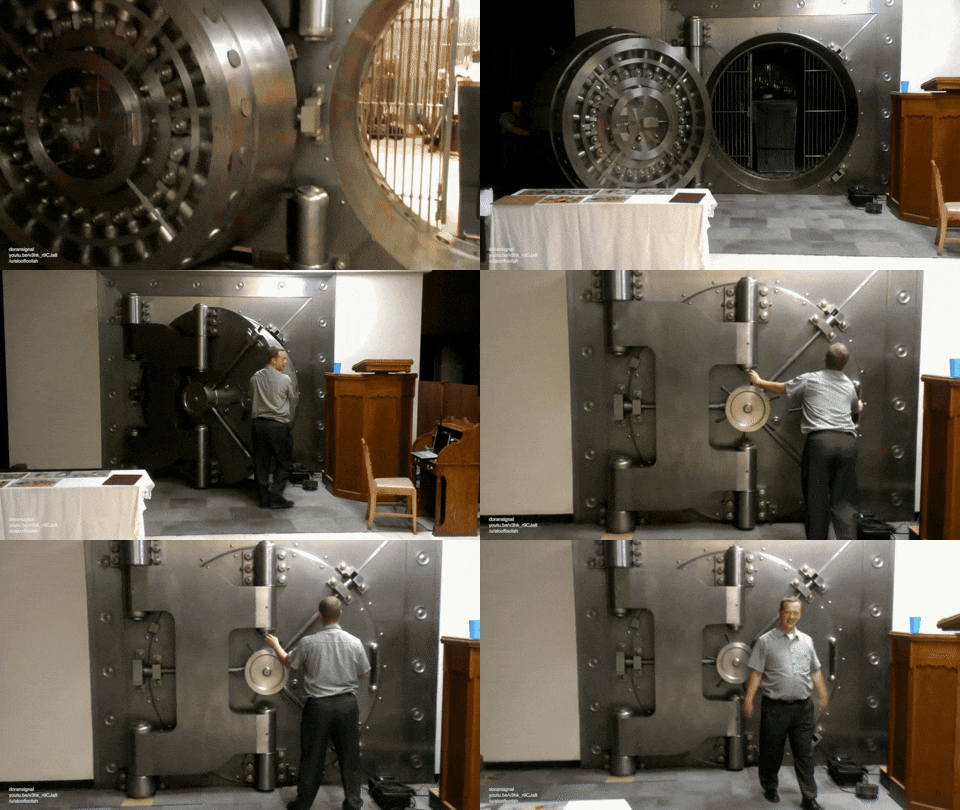
MAJOR REASON WHY I CALLED IT SHRINE 😂

Traffic Flow at a Glance
Before we dive into the layers, here's how the traffic moves from my "pulpit" (Mac Studio) to the "shrine" (the cluster):
No inbound holes – all management traffic originates from my Mac or the cluster itself (GitOps pulls). This is how real datacenters work.
┌──────────────────────────────────────────────────────────────────────────────────────┐
│ │
│ 🖥️ macOS COMMAND CENTER (The Pulpit) │
│ │
│ kubectl │ Terraform │ Ansible │ Flux CLI │ Git │
│ │
│ (All management tools installed locally) │
│ │
└─────────────────────────────────────────┬────────────────────────────────────────────┘
│
SSH │ API (HTTPS) │ Git (SSH/HTTPS)
│
▼
┌──────────────────────────────────────────────────────────────────────────────────────┐
│ │
│ 🛡️ OPNsense Firewall (10.0.1.x) │
│ │
│ ┌─────────────────┐ ┌─────────────────┐ ┌─────────────────┐ │
│ │ DHCP Server │ │ Static DHCP │ │ WireGuard VPN │ │
│ │ 10.0.1.100-xxx │ │ MAC → IP Pinning │ │ Remote Access │ │
│ └─────────────────┘ └─────────────────┘ └─────────────────┘ │
│ │
│ • Split-Horizon DNS: *.georgehomelab.com → 10.0.1.x │
│ • Gateway for all Proxmox + Kubernetes traffic │
│ • Firewall rules: WAN → LAN passes for management │
│ │
└─────────────────────────────────────────┬────────────────────────────────────────────┘
│
│ LAN (10.0.1.0/16)
│ 2.5GbE Links
▼
┌──────────────────────────────────────────────────────────────────────────────────────┐
│ │
│ 🔌 Zyxel XMG1915-10E Switch │
│ │
│ Star topology │ 8× 2.5GbE + 2× SFP+ │
│ │
└─────────────────────────────────────────┬────────────────────────────────────────────┘
│
┌───────────────────────────┼───────────────────────────┐
│ │ │
▼ ▼ ▼
┌─────────────────────────┐ ┌─────────────────────────┐ ┌─────────────────────────┐
│ │ │ │ │ │
│ 🏗️ Proxmox Node 1 │ │ 🏗️ Proxmox Node 2 │ │ 🏗️ Proxmox Node 3 │
│ (proxmox-dc-1) │ │ (proxmox-dc-2) │ │ (proxmox-dc-3) │
│ 10.0.1.1x │ │ 10.0.1.1x │ │ 10.0.1.1x │
│ │ │ │ │ │
│ • Local ZFS Storage │ │ • Local ZFS Storage │ │ • Local ZFS Storage │
│ • vmbr0 Bridge │ │ • vmbr0 Bridge │ │ • vmbr0 Bridge │
│ • NFS Client (Backups) │ │ • NFS Client (Backups) │ │ • NFS Client (Backups) │
│ │ │ │ │ │
│ Terraform → VM Creation via Proxmox API (telmate/provider) │
│ Packer → Ubuntu Cloud-Init Templates │
│ │
└─────────────────────────┘ └─────────────────────────┘ └─────────────────────────┘
│ │ │
│ Cloud-Init DHCP (Static Reservations → Predictable IPs) │
│ │ │
└───────────────────────────┼───────────────────────────┘
▼
┌──────────────────────────────────────────────────────────────────────────────────────┐
│ │
│ ☸️ HA Kubernetes Cluster (kubeadm) │
│ │
│ ┌─────────────────────────┐ ┌─────────────────────────┐ ┌─────────────────────────┐
│ │ Control Plane Node 1 │ │ Control Plane Node 2 │ │ Control Plane Node 3 │
│ │ k8s-cp-1 │ │ k8s-cp-2 │ │ k8s-cp-3 │
│ │ 10.0.1.1xx │ │ 10.0.1.1xx │ │ 10.0.1.1xx │
│ │ │ │ │ │ │
│ │ • etcd (stacked) │ │ • etcd (stacked) │ │ • etcd (stacked) │
│ │ • kube-apiserver │ │ • kube-apiserver │ │ • kube-apiserver │
│ │ • kube-vip (VIP) │ │ • kube-vip (VIP) │ │ • kube-vip (VIP) │
│ └─────────────────────────┘ └─────────────────────────┘ └─────────────────────────┘
│ │
│ ┌─────────────────────────┐ ┌─────────────────────────┐ ┌─────────────────────────┐
│ │ Worker Node 1 │ │ Worker Node 2 │ │ Worker Node 3 │
│ │ k8s-worker-1 │ │ k8s-worker-2 │ │ k8s-worker-3 │
│ │ 10.0.1.1xx │ │ 10.0.1.1xx │ │ 10.0.1.1xx │
│ │ │ │ │ │ │
│ │ • Calico CNI (BGP) │ │ • Calico CNI (BGP) │ │ • Calico CNI (BGP) │
│ │ • kube-proxy │ │ • kube-proxy │ │ • kube-proxy │
│ │ • Workload Pods │ │ • Workload Pods │ │ • Workload Pods │
│ └─────────────────────────┘ └─────────────────────────┘ └─────────────────────────┘
│ │
│ Pod CIDR: 10.244.0.0/16 │ Service CIDR: 10.245.0.0/16 │ MetalLB: 10.0.1.2xx-2xx │
│ │
│ 🔧 Bootstrapped entirely by Ansible (kubeadm playbook) │
│ │
└─────────────────────────────────────────┬────────────────────────────────────────────┘
│
│ GitOps Sync (Outbound Only)
│ FluxCD pulls from GitHub (no inbound!)
▼
┌──────────────────────────────────────────────────────────────────────────────────────┐
│ │
│ 🔄 FluxCD System (Inside Cluster) │
│ │
│ ┌─────────────────┐ ┌─────────────────┐ ┌─────────────────┐ │
│ │ source- │ │ kustomize- │ │ helm- │ │
│ │ controller │ │ controller │ │ controller │ │
│ └─────────────────┘ └─────────────────┘ └─────────────────┘ │
│ │
│ ┌─────────────────┐ ┌─────────────────┐ ┌─────────────────┐ │
│ │ notification- │ │ image-reflector-│ │ image- │ │
│ │ controller │ │ controller │ │ automation- │ │
│ └─────────────────┘ └─────────────────┘ └─────────────────┘ │
│ │
│ • Deployed as part of Ansible playbook (not a separate step) │
│ • Continuously reconciles cluster state with Git │
│ • Auto-heals configuration drift │
│ │
└─────────────────────────────────────────┬────────────────────────────────────────────┘
│
│ HTTPS/SSH (Outbound Pull)
│
▼
┌──────────────────────────────────────────────────────────────────────────────────────┐
│ │
│ 📦 GitHub Private Repository │
│ │
│ ┌─────────────────────────────────────────────────────────────────────────────┐ │
│ │ clusters/prod/ │ │
│ │ ├── flux-system/ # Flux bootstrapping config │ │
│ │ │ ├── gotk-components.yaml │ │
│ │ │ └── gotk-sync.yaml │ │
│ │ ├── apps/ # Application deployments │ │
│ │ │ ├── metallb/ │ │
│ │ │ ├── istio-ingress/ │ │
│ │ │ └── prometheus-stack/ │ │
│ │ └── infrastructure/ # Cluster-wide config │ │
│ │ ├── namespaces.yaml │ │
│ │ └── storage-class.yaml │ │
│ └─────────────────────────────────────────────────────────────────────────────┘ │
│ │
│ 🔑 Source of Truth: Every change starts as a PR, reviewed, merged, then applied │
│ │
└──────────────────────────────────────────────────────────────────────────────────────┘
Level 1: The Physical Layer (The Foundations)
Every altar begins with something tangible.
Hardware: A fleet of Minisforum MS-01 machines acting as compute Datacenter (96GB RAM and 8GB nvidia GPU on each machine) . That's Total of 288GB RAM and 24GB nvidia GPU in the 3 Minisforum MS-01
Network Entry Point: My Mac Studio (the “pulpit”), connected via Wi-Fi
Firewall: OPNsense bridging external (192.168.1.x) to internal lab network (10.0.1.x)
Out-of-Band Access: TinyPilot Voyager 2a and TESmart 4‑port HDMI KVM — BIOS-level control even when the OS is down
Switch: Zyxel XMG1915-10E (2.5GbE + SFP+) is the Central Nervous System. With High-Velocity East-West Traffic ( Low Latency / High Throughput for etcd and storage )
Why I worship here:
Physical simplicity enables logical complexity.
No mystery cables. Everything is deliberate. This playground makes me the opportunity to play with any cloud-native tool with ease.
Level 2: The Infrastructure Layer (Proxmox Datacenter)
Before automation, there must be a foundation.
Proxmox VE installed manually on all three Minisforum MS-01 machine
Clustered into a single datacenter abstraction
Networking:
vmbr0→ Kubernetes networkStatic host IPs:
10.0.1.1x
10.0.1.1x
10.0.1.1x
Gateway: 10.0.1.x (OPNsense)
Storage:
Local ZFS (NVMe)
NFS for shared ISO + backups
The ritual:
I installed the first Proxmox VE manually on each machine via TinyPilot’s virtual media from my MAC-Studio browser over wifi.
No HDMI cable ever touched my desk.
Level 3: The Node Layer (Terraform Automation)
I no longer click buttons to create infrastructure.
I declare it.
Using the Proxmox Terraform provider, I define:
VM CPU, memory, disk
Network interfaces
Clone source (Ubuntu template from Packer)
resource "proxmox_vm_qemu" "k8s_node" {
  for_each = var.nodes

  name        = each.value.name
  target_node = each.value.proxmox_node
  clone       = "ubuntu-24-04-template"
  cores       = each.value.cores
  memory      = each.value.memory

  network {
    model     = "virtio"
    bridge    = "vmbr0"
    ipconfig0 = "ip=dhcp"
  }
}
The DHCP Decision (And Why It Matters)
This was one of the most important lessons in my journey.
In my old Mac Studio setup, I used pure DHCP for Kubernetes nodes.
It worked… until every restart broke my cluster access.
What went wrong?
Control plane nodes changed IPs
kubeconfig became invalid
API server endpoints broke
etcd stability was at risk
Even with 3 control planes, the cluster wasn’t truly stable.
Why Not Static IPs?
Because static IPs inside the OS mean:
Manual netplan configuration
Hardcoding network logic into templates
Reduced rebuild flexibility
That’s not how cloud-native systems behave.
The Solution: DHCP + Reservations
I used DHCP everywhere — but configured static reservations in OPNsense.
✔ Nodes auto-configure
✔ IPs never change
✔ Rebuilds are seamless
✔ etcd remains stable
💡 The Real Insight
Kubernetes doesn’t care how IPs are assigned — only that they don’t change.
Level 4: The Cluster Layer (Ansible + Kubeadm)
Once the infrastructure exists, it must be transformed.
Using Ansible:
OS hardening
Swap disabled
containerd installed
kubeadm, kubelet, kubectl configured
HA Control Plane
3 control plane nodes
Stacked etcd (homelab-friendly)
kube-vip for API virtual IP
Level 5: The Application Layer (GitOps with FluxCD)
This is where everything changes.
Instead of imperative deployments or declarative deployment with kubectl, I use GitOps FluxCD.
GitOps From Day One
FluxCD is not an add-on.
It is deployed during cluster creation via Ansible.
That means:
Cluster is GitOps-ready immediately
No manual bootstrap later
No drift from day one
The Pull Model
Flux runs inside the cluster
Watches Git repository
Pulls changes automatically
No inbound access required.


Traffic Flow
Mac Studio (192.168.1.x)
        │
        ▼
OPNsense Firewall (10.0.1.x)
        │
        ▼
Proxmox Cluster (10.0.1.1x–1x)
        │
        ▼
Kubernetes Nodes (DHCP → Reserved IPs)
        │
        ▼
FluxCD Controllers (inside cluster)
        │
        ▼
GitHub (OUTBOUND pull model)
Key Insight:
❌ GitHub never connects to your cluster
❌ No firewall holes needed
✅ Flux initiates outbound sync
Current State of the Shrine
3 control plane nodes ✅
3 worker nodes ✅
etcd cluster healthy ✅
Flux controllers distributed across nodes ✅
Calico networking active ✅
This is no longer a lab.
It is a self-healing platform.
Before vs After
| Feature | Old (Mac Studio) | New Shrine (Proxmox HA) |
|---|---|---|
| Architecture | Single Node | 3-Node HA |
| Provisioning | Manual | Terraform |
| Configuration | Scripts | Ansible |
| Deployment | kubectl | GitOps (FluxCD) |
| Network | DHCP (unstable) | DHCP + Reservations |
| Resilience | Low | High |

What I Learned
DHCP + reservations is the sweet spot
etcd requires stable identity, not static config
GitOps removes human drift completely
Terraform + Ansible + FluxCD = powerful combination
Firewalls must allow internal routing for automation
Never use root API for automation — use scoped tokens
What’s Next on the Altar
Ceph or Longhorn for HA storage
Velero for cluster backups
External Secrets + Vault
Cluster autoscaler experiments
Final Words
This homelab is more than a project.
It is a practice ground for real-world platform engineering.
The move from a single ARM node to a distributed HA cluster wasn’t just an upgrade in hardware — it was an upgrade in mindset.
My Mac Studio is no longer the host.
It is the pulpit.
The Shrine runs independently.
If you’re thinking of building something like this — do it.
Start small. Break things. Rebuild them better.
Now go build your own altar. 🛐
🤝 Stay Connected
Found this guide helpful? Follow my journey into Homelabing on LinkedIn! Click the blue LinkedIn button to connect: George Ezejiofor . Let’s keep building scalable, secure cloud-native systems, one project at a time! 🌐🔧