RKE2 Homelab Storage: Rook-Ceph & CloudNativePG (The Garage & Cabinets )
As a Senior DevSecOps Engineer, I’m dedicated to building secure, resilient, and scalable cloud-native infrastructures tailored for modern applications. With a strong focus on microservices architecture, I design solutions that empower development teams to deliver and scale applications swiftly and securely. I’m skilled in breaking down monolithic systems into agile, containerised microservices that are easy to deploy, manage, and monitor.
Leveraging a suite of DevOps and DevSecOps tools—including Kubernetes, Docker, Helm, Terraform, and Jenkins—I implement CI/CD pipelines that support seamless deployments and automated testing. My expertise extends to security tools and practices that integrate vulnerability scanning, automated policy enforcement, and compliance checks directly into the SDLC, ensuring that security is built into every stage of the development process.
Proficient in multi-cloud environments like AWS, Azure, and GCP, I work with tools such as Prometheus, Grafana, and ELK Stack to provide robust monitoring and logging for observability. I prioritise automation, using Ansible, GitOps workflows with ArgoCD, and IaC to streamline operations, enhance collaboration, and reduce human error.
Beyond my technical work, I’m passionate about sharing knowledge through blogging, community engagement, and mentoring. I aim to help organisations realize the full potential of DevSecOps—delivering faster, more secure applications while cultivating a culture of continuous improvement and security awareness.
Episode 5 of the homelab build series. Terraform poured the foundation, Ansible and RKE2 framed the walls, Kyverno and friends wired the alarms, and Tekton and Harbor built the workshop out back. This one is about the floor everything else stands on: Rook-Ceph as the garage that holds whatever you throw at it, and CloudNativePG as the filing cabinets for the stuff that needs a proper label.
The Ceph dashboard landing page: HEALTH_OK, 22 TiB raw, 6 OSDs up and in across three zones. SSO Login with keycloak and Oauth2-proxy using google and Github social login.
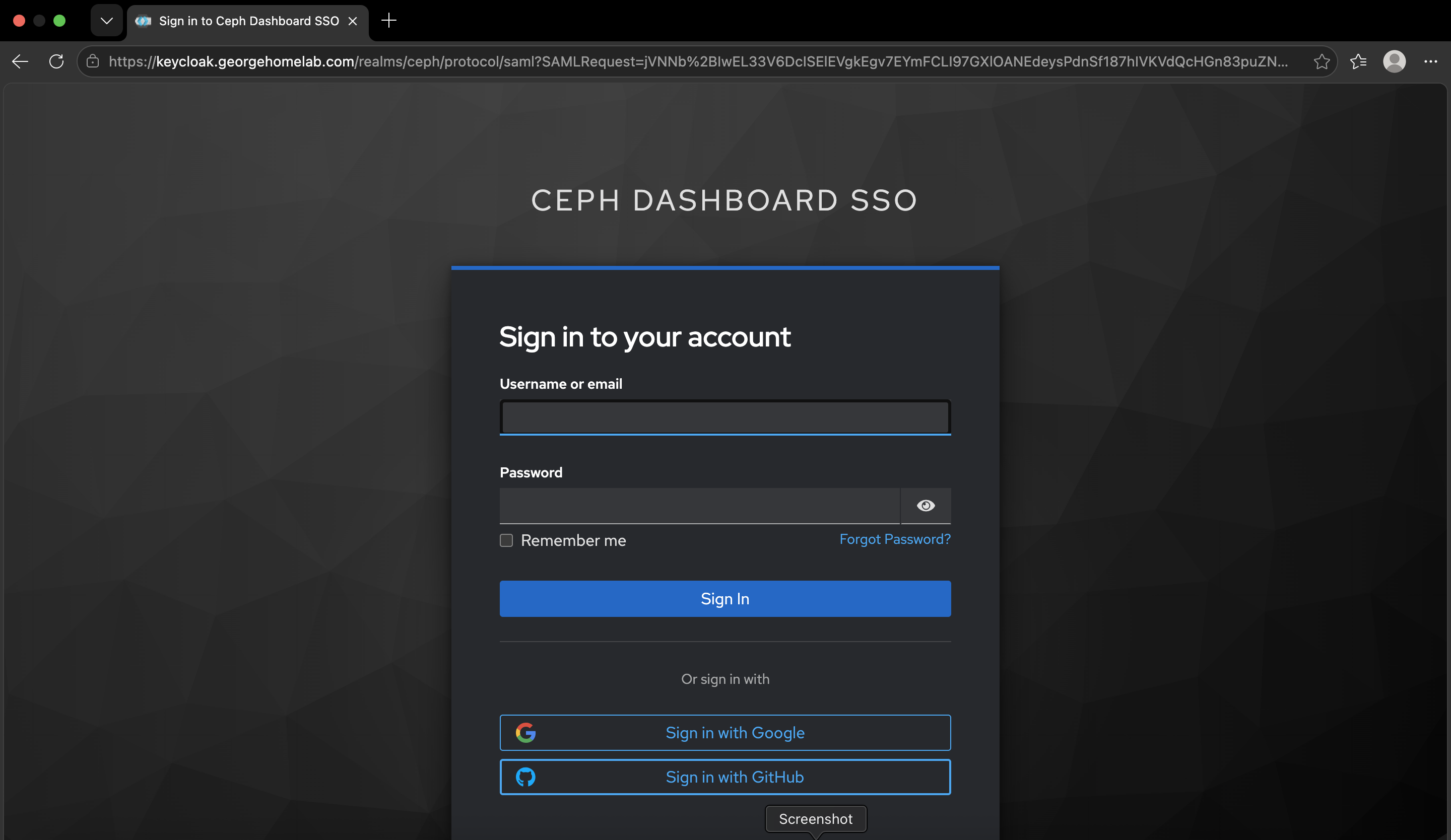
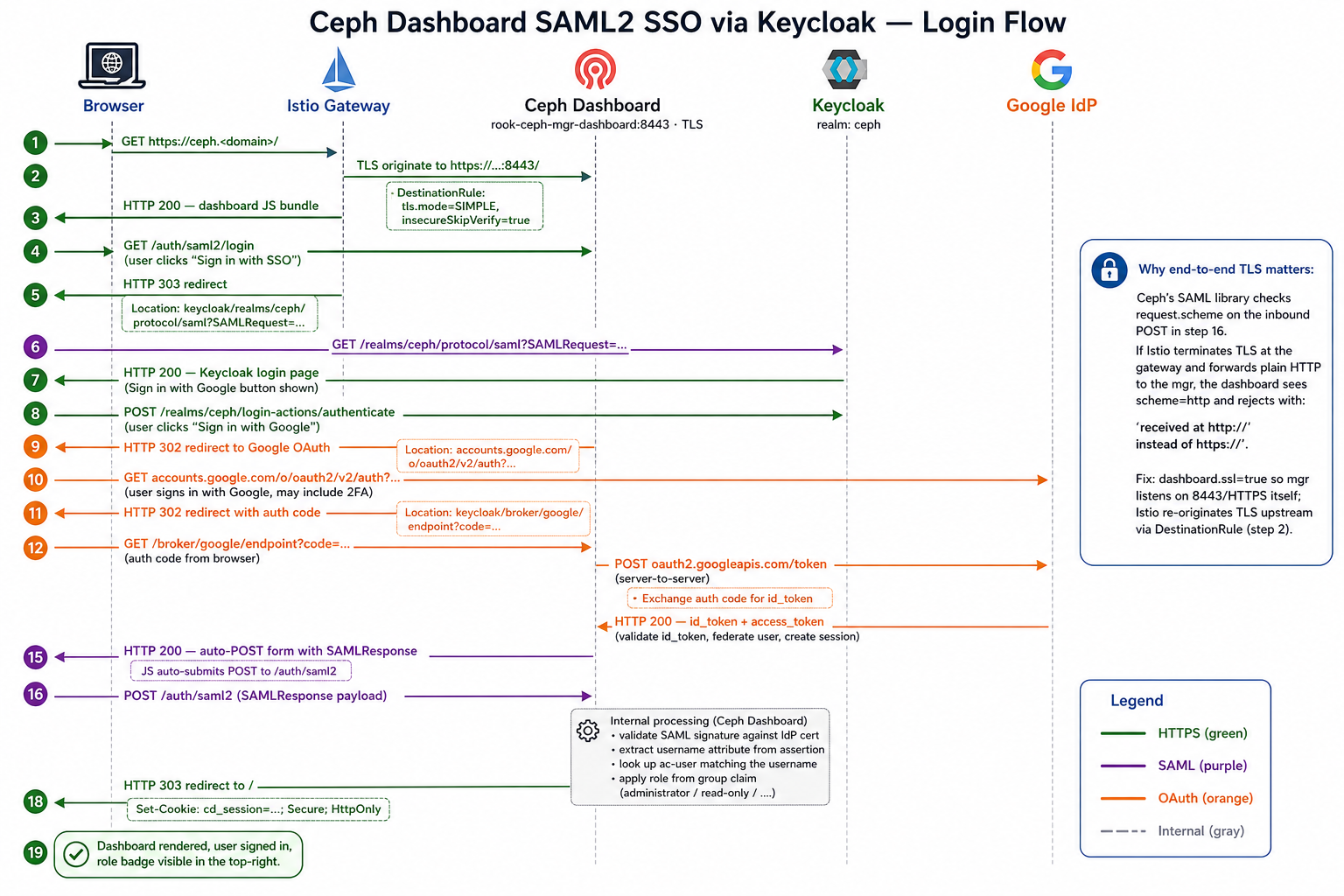
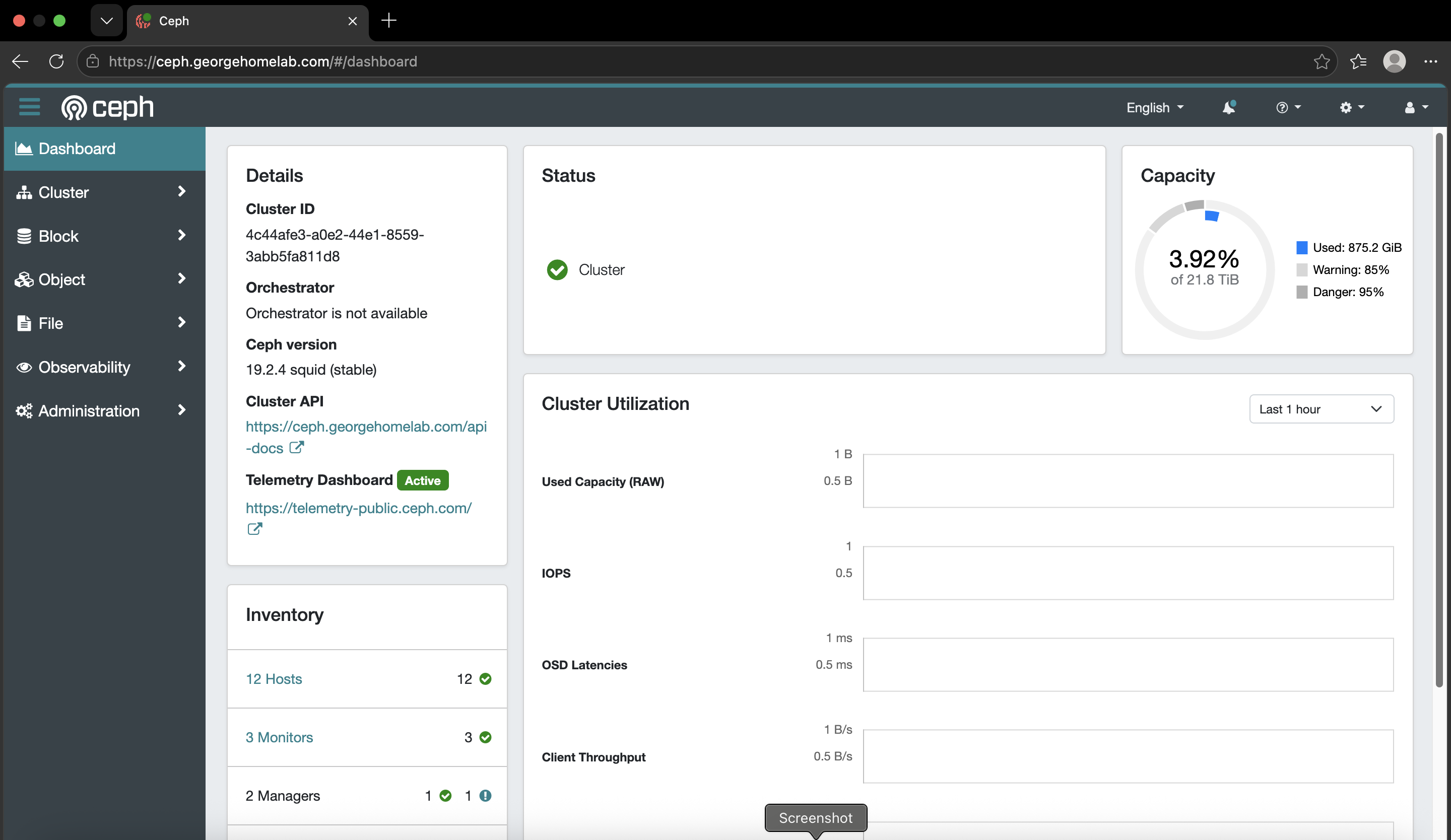
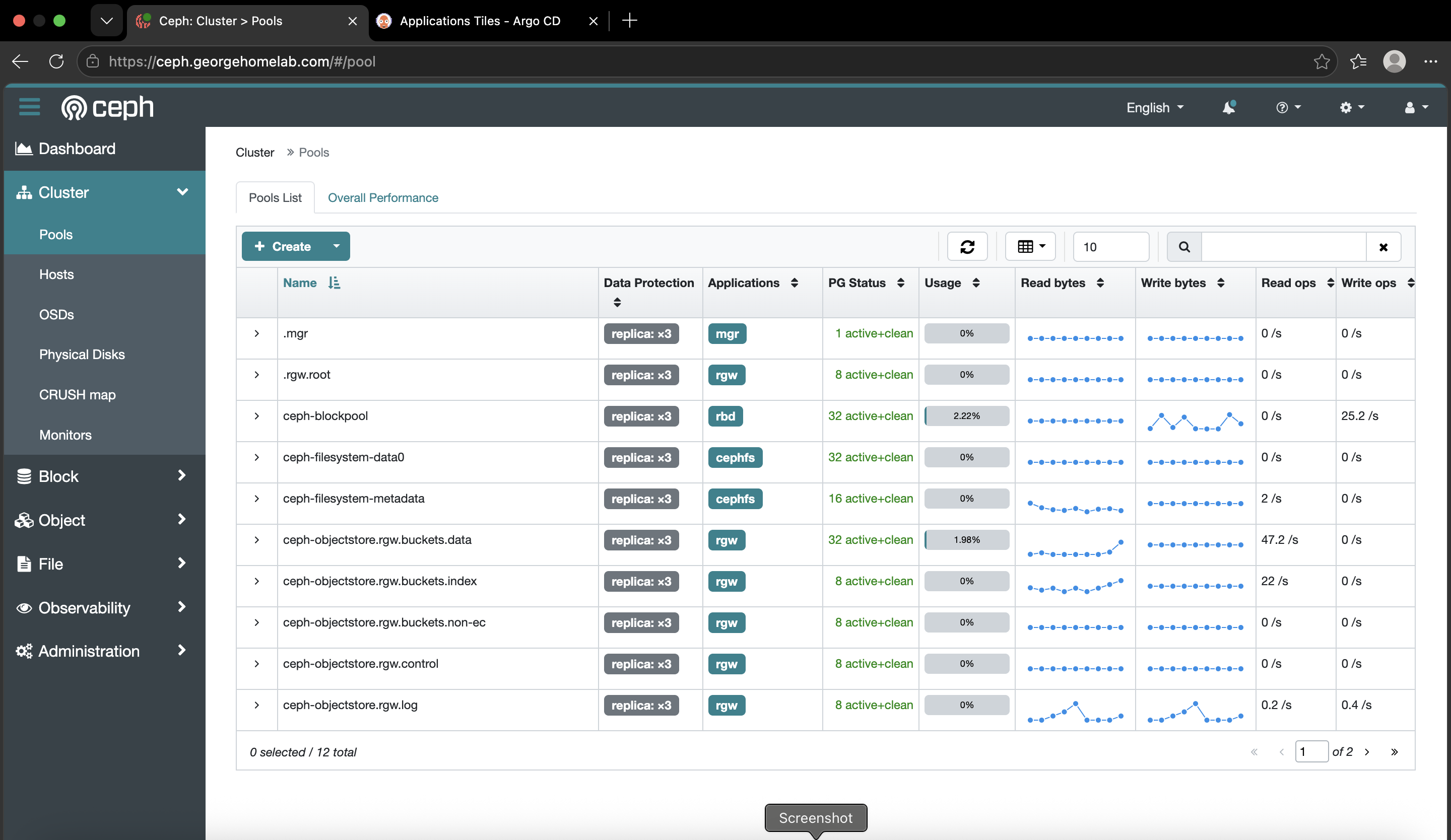
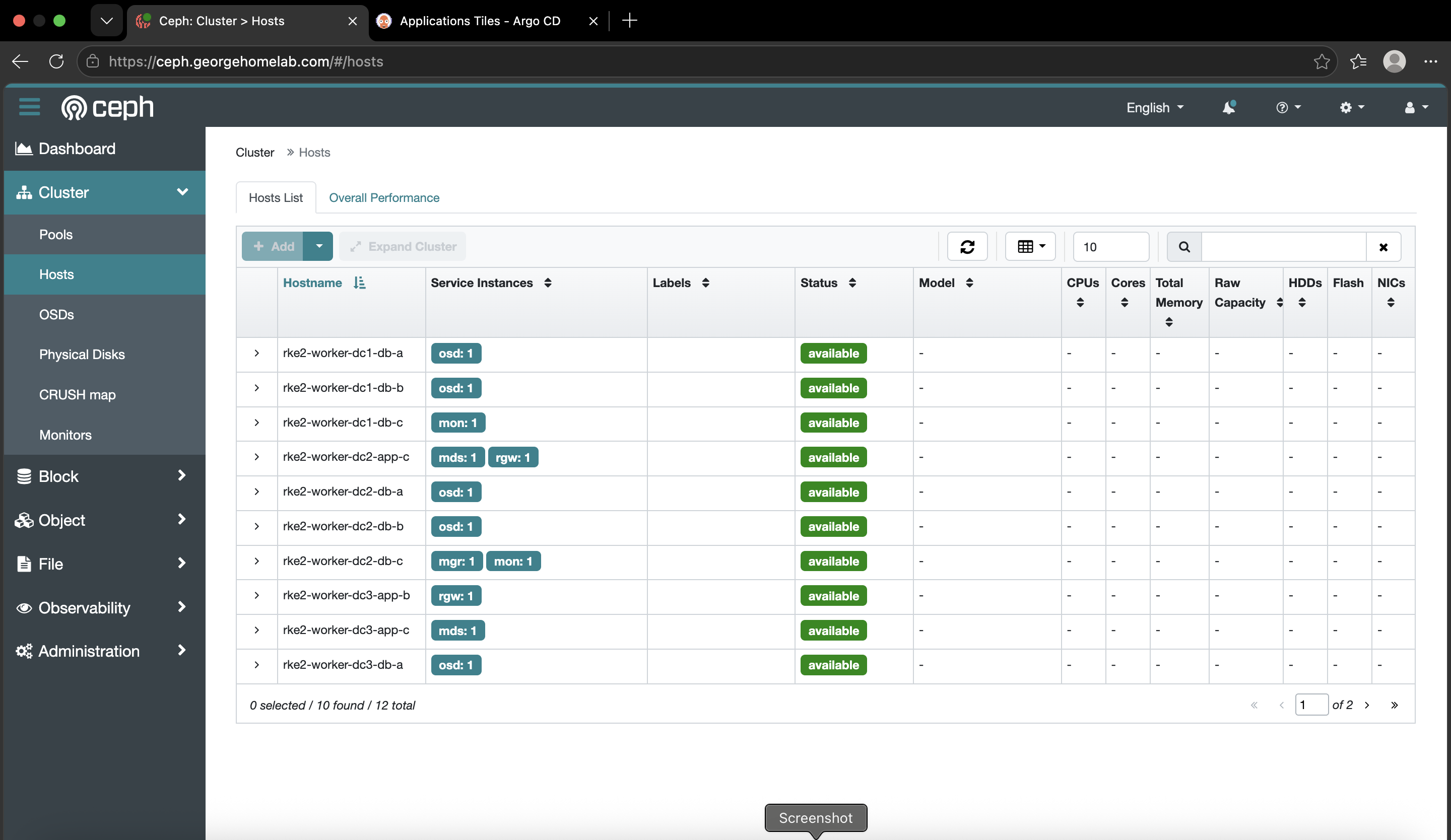
Grafana Dashboard for CEPH signed in with google SSO and keycloak
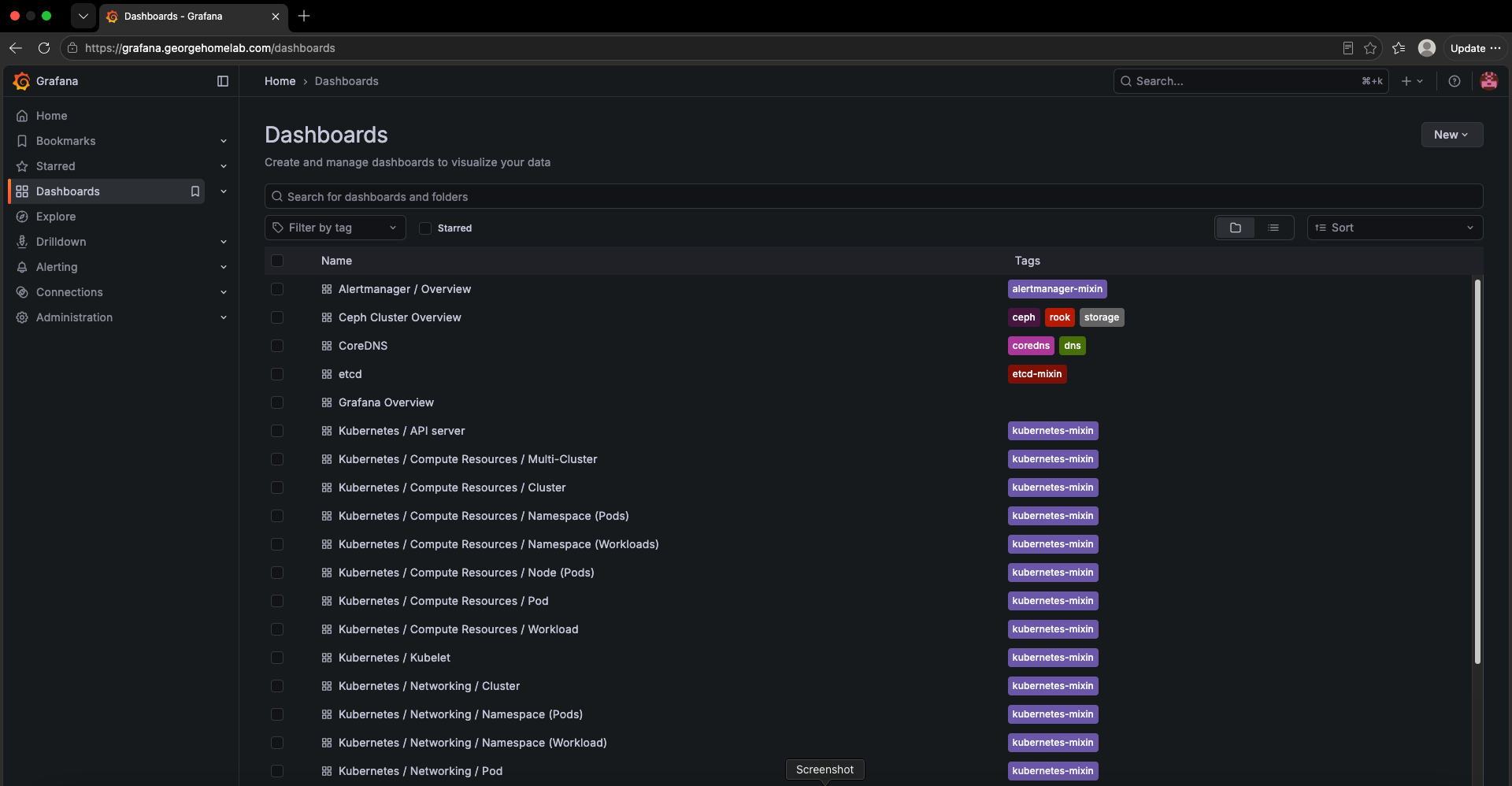
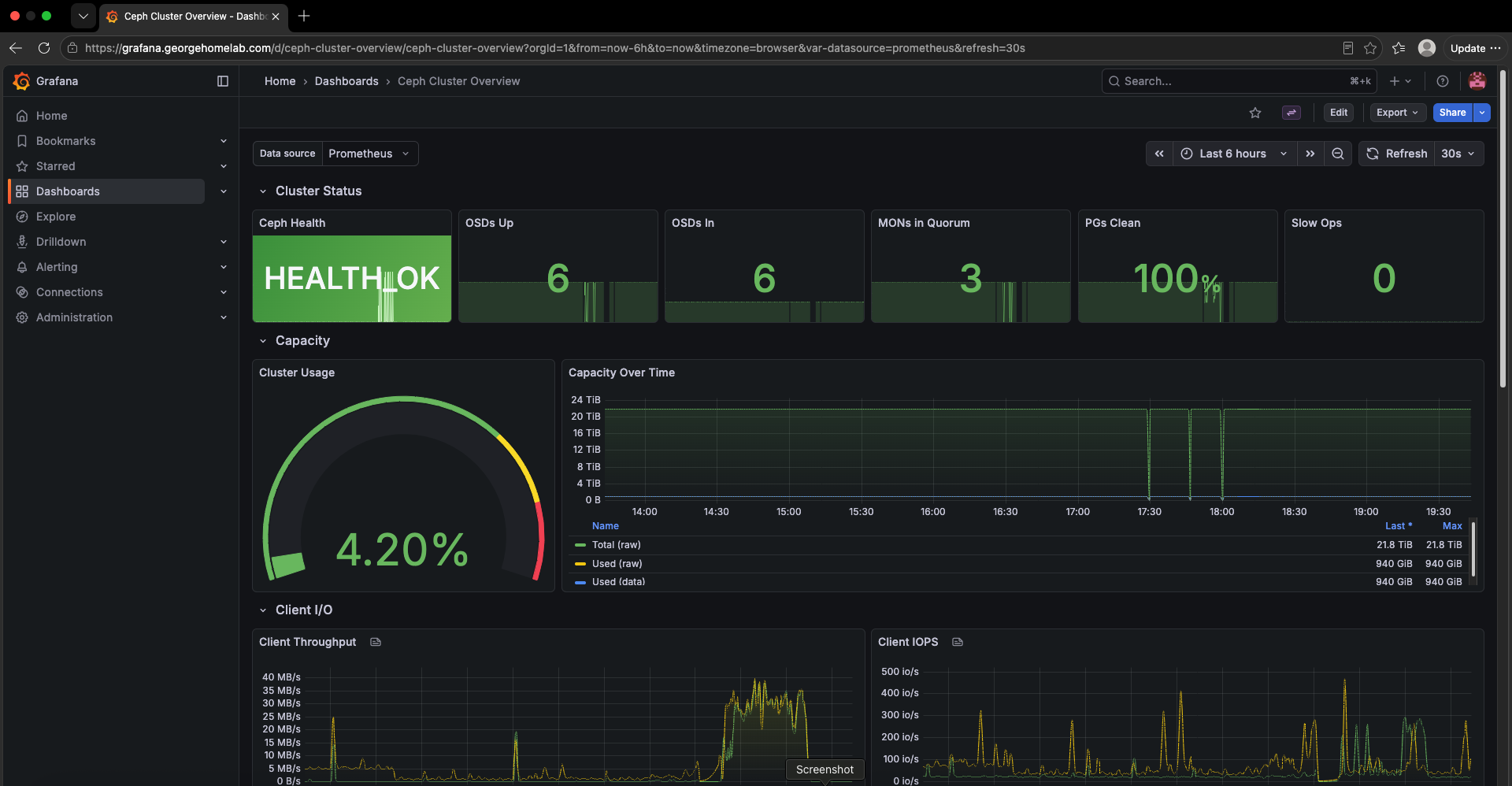
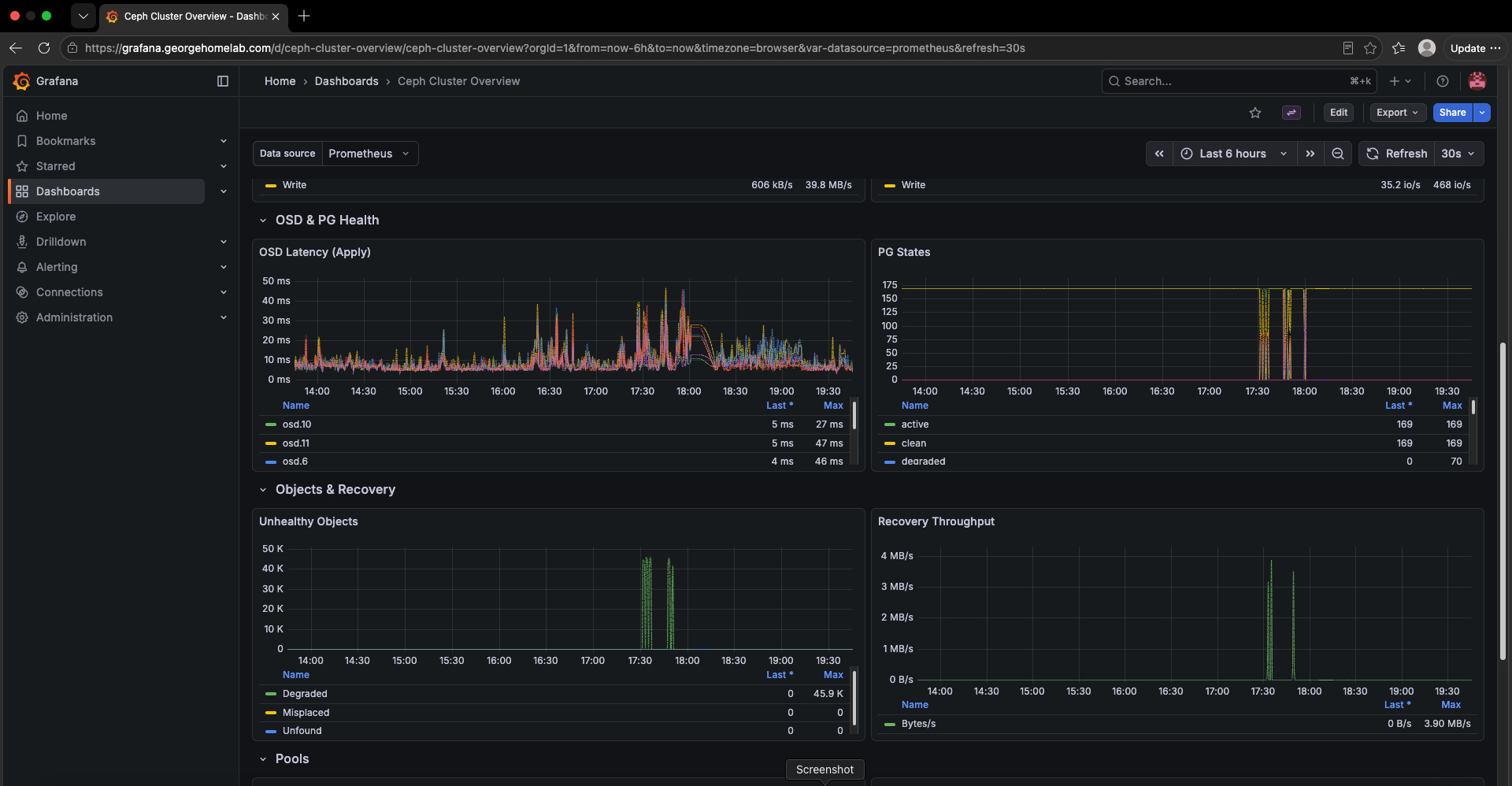
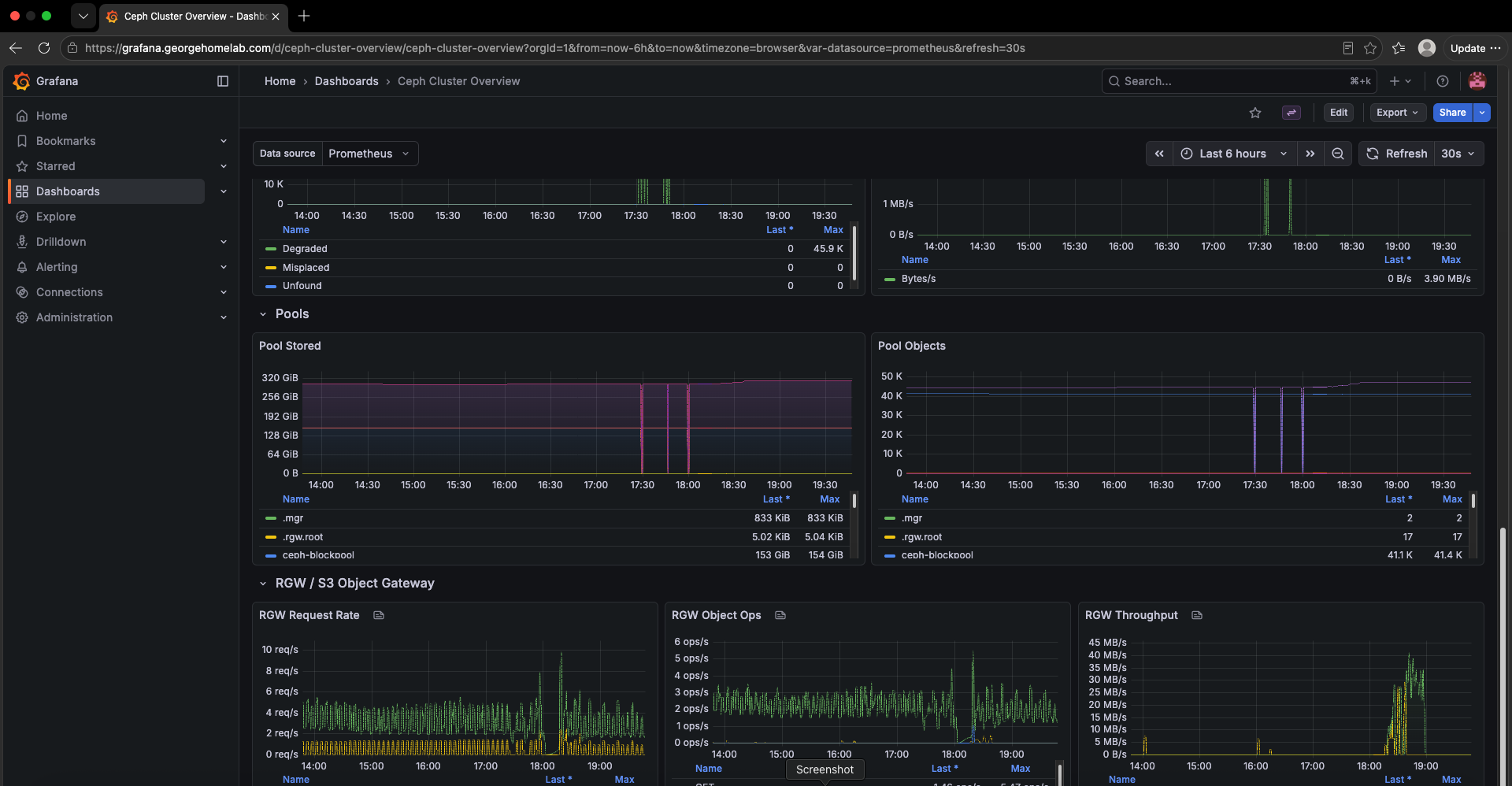
Introduction
I was proud of a cluster that was lying to me
For a few months I told anyone who'd listen that my data was safe. Six Ceph OSDs, three datacenters, every object stored three times. It sounded great when I said it out loud.
Then I actually looked at where those OSDs lived. Each one was a 100 GiB slice of the same local disk that held the VM boot volumes on that host, etcd's included. I'd built three copies of my data on three copies of the same weak spot, and I'd been bragging about it.
Ceph kept filling up, and I kept blaming Ceph. It wasn't Ceph. I'd put the garage, the filing cabinets and the house wiring on one shelf and hoped nobody leaned on it.
So this episode is the fix, and the story of what the fix taught me. It's the least exciting room in the house. Nobody comes round to admire your PVCs. But every episode after this one (the MLOps stack, the lakehouse, Kubeflow) is a tenant that needs somewhere to put things, and tenants don't move into a building without floors.
Two floors, in the end. Rook-Ceph at the bottom gives the cluster block, file and object storage from one system. CloudNativePG sits on top of it for the one kind of data that deserves its own filing system: relational state. Here's how both are built, what moving onto real NVMe took, and the traps that taught me the difference between "replicated" and "safe".
Why storage had to come now
If you've been following along, the cluster so far:
Foundation. Terraform stood the VMs up on Proxmox.
Framing. Ansible turned them into a five-master HA RKE2 cluster.
Security. Kyverno at the door, KubeArmor on the inside locks, Falco on the cameras, Trivy doing the rounds.
Workshop. Tekton, SonarQube, Harbor and Chains: the supply chain that builds and signs everything that lands here.
Storage had to come next because everything after this point wants somewhere to keep things. The MLOps stack alone wanted Postgres for Hive Metastore, MLflow and Airflow plus buckets for artifacts. Harbor wanted a database, a Redis and a blob store. Keycloak, SonarQube and Vault each wanted their own.
Without a real storage layer, each of those apps either drags in its own bundled database (another StatefulSet I'd have to babysit) or writes to hostPath and dies with whatever node it happened to land on. I've run the hostPath version before. Never again.
The repo side is two folders that do very different jobs but behave like one layer:
0-boostrap/
  rook-ceph/                    # the garage: block, file and object
    values-operator.yaml
    values-cluster.yaml         # OSD devices, pools, storage classes
    rgw-tls.yaml                # RGW is TLS-only
    rgw-s3-tls-origination.yaml # how Istio talks HTTPS to it
    rgw-keycloak-oidc/          # S3 access via Keycloak tokens
    local-ceph-pvs.yaml         # LEGACY: the old 100 GiB slices, unused
  cnpg/                         # the filing cabinets
    cnpg-operator/
    cnpg-plugin-barman-cloud/
    cnpg-clusters/              # Cluster + Database CRs per app
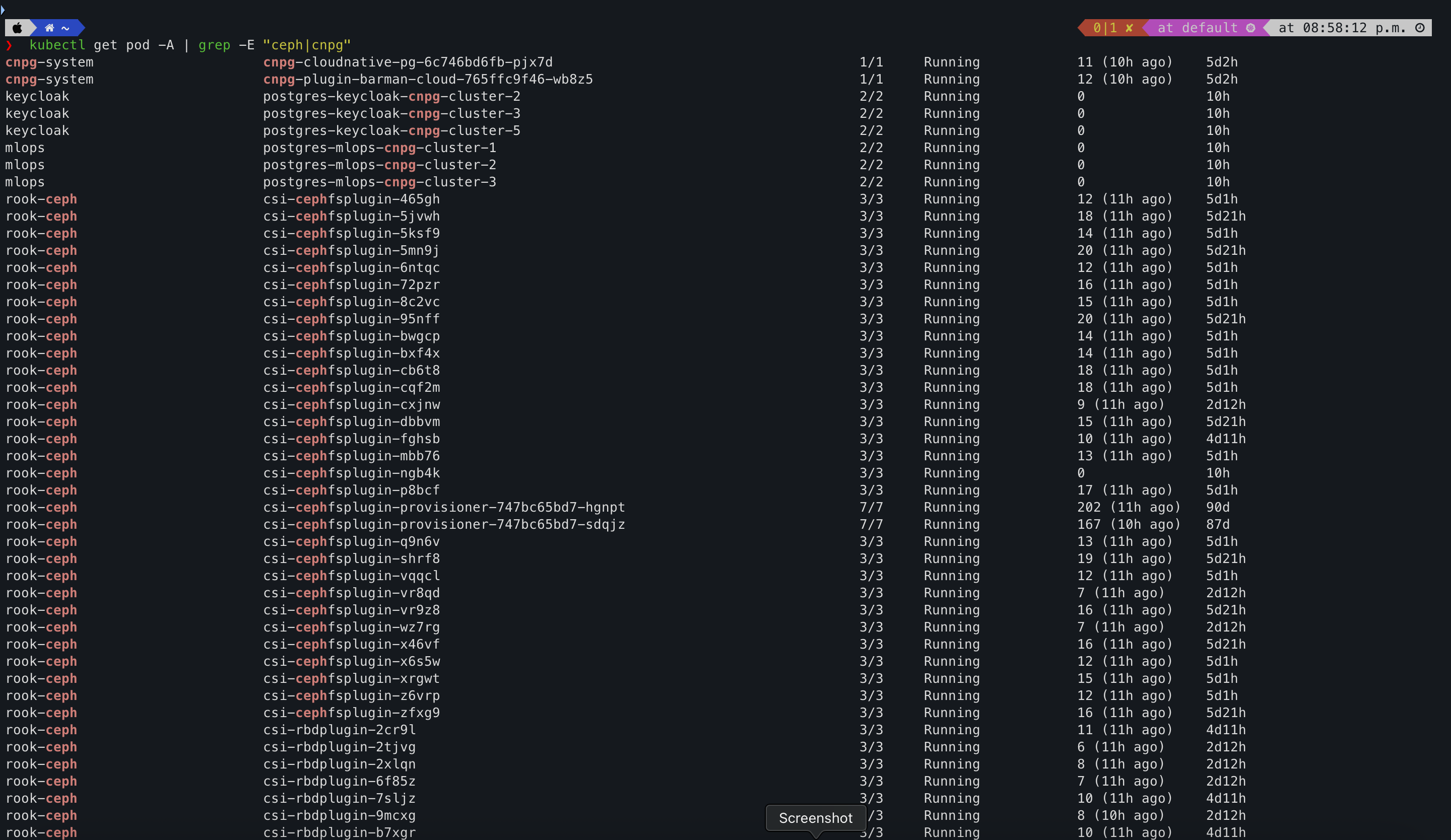
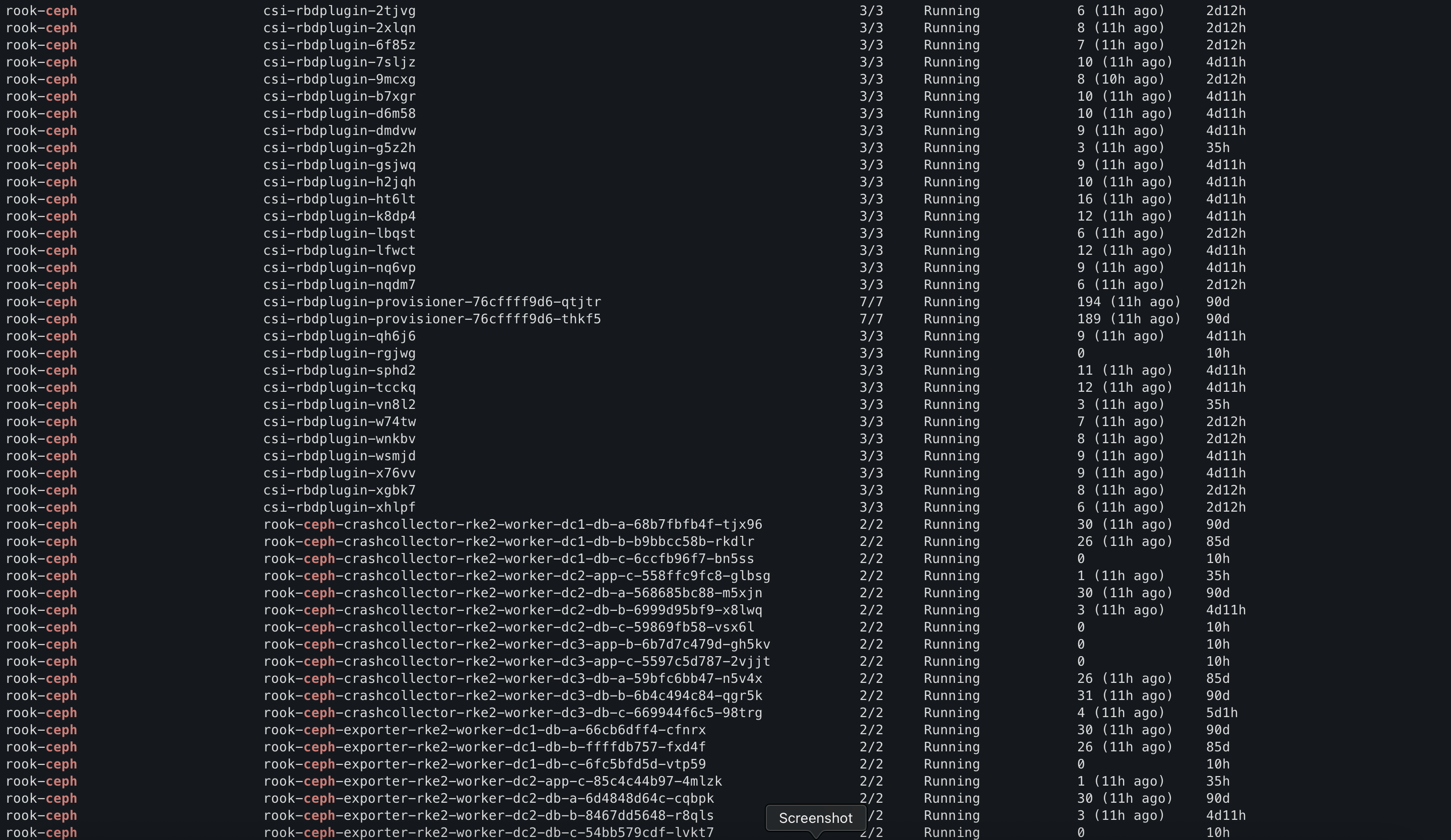
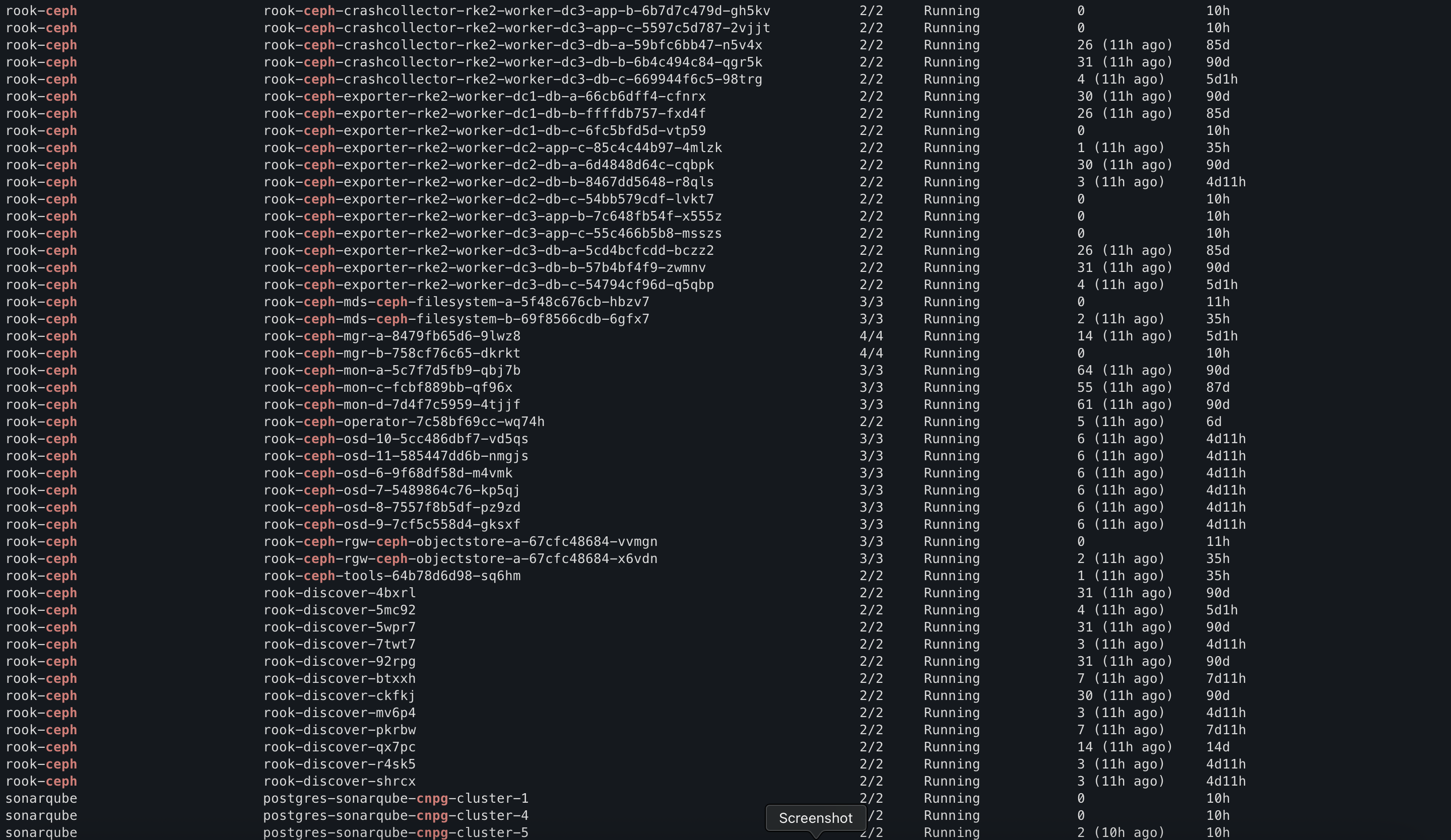
The two floors
The mental model I settled on is simple:
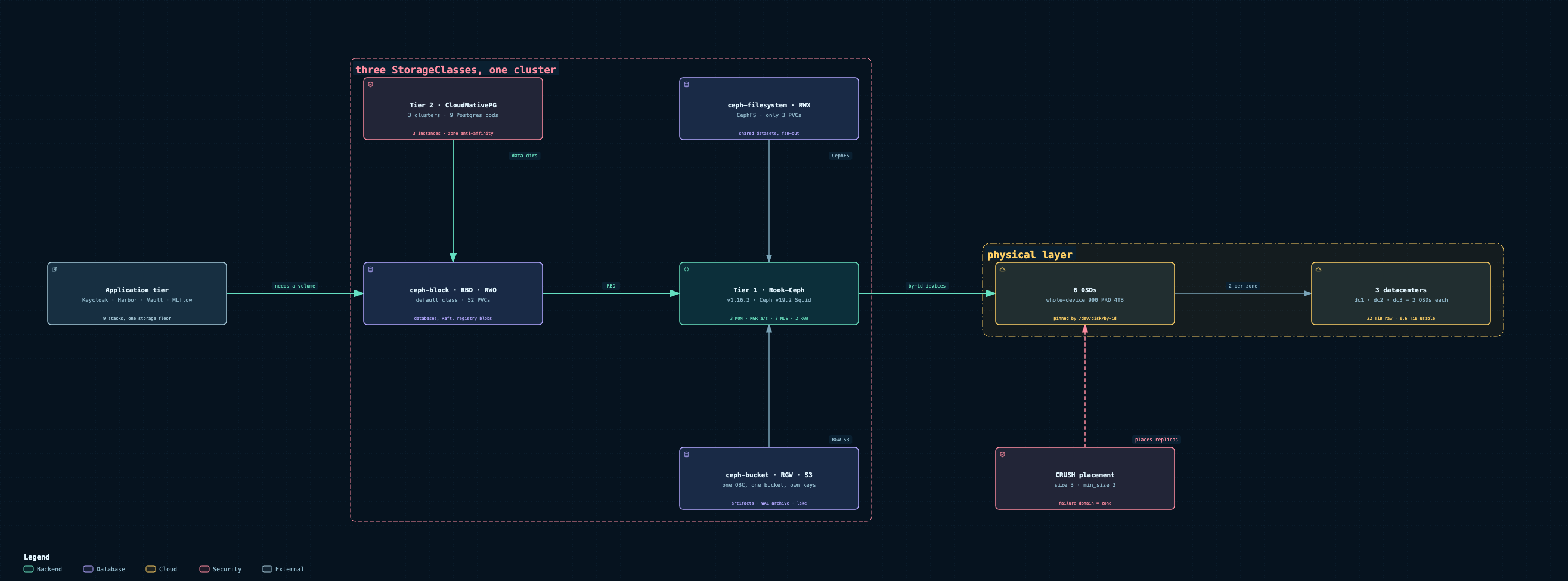
Rook-Ceph is the garage. It doesn't care what you put in it. It hands Kubernetes three storage classes and sits underneath everything.
CloudNativePG is the filing cabinets inside the garage. It's for one specific thing, relational data, and it lives on Ceph. Every Postgres data directory is itself a
ceph-blockvolume.
That second point matters more than it sounds. CNPG isn't a second storage system. It's a very opinionated tenant of the first one.
The two-tier storage stack: applications on top, CloudNativePG in the middle, Rook-Ceph and six NVMe drives underneath. Links to the interactive diagram.
Click the image for the interactive version. You can pan, zoom and step through five guided views. Direct link: INTERACTIVE-DIAGRAM-URL
The garage: Rook-Ceph
Rook is the operator that runs Ceph on Kubernetes. It turns MONs, MGRs, OSDs, metadata servers and S3 gateways into ordinary Kubernetes objects and keeps them alive. Underneath, it's plain Ceph: version 19.2.4, "Squid", deployed with the rook-ceph and rook-ceph-cluster charts at v1.16.2.
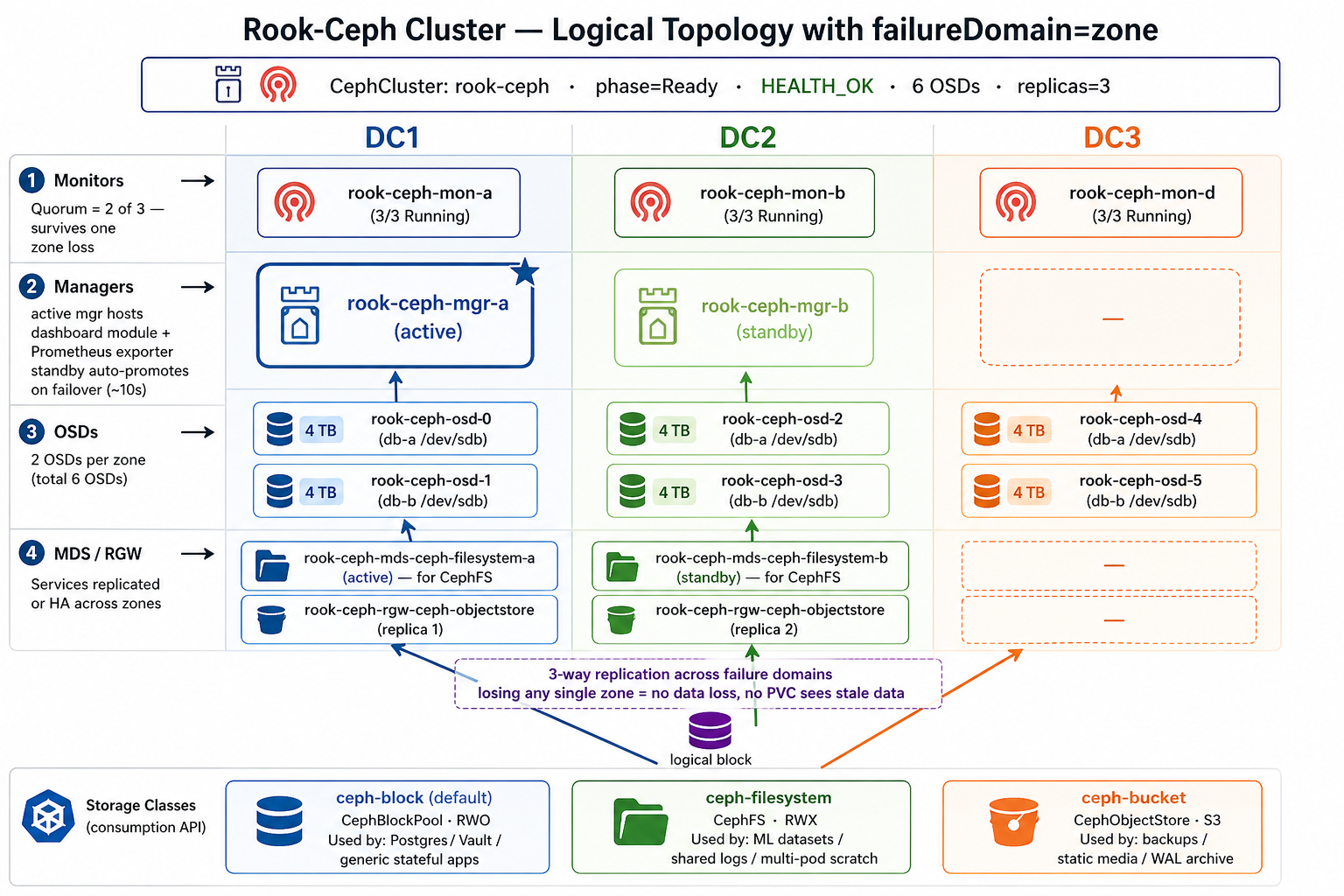
What's actually running:
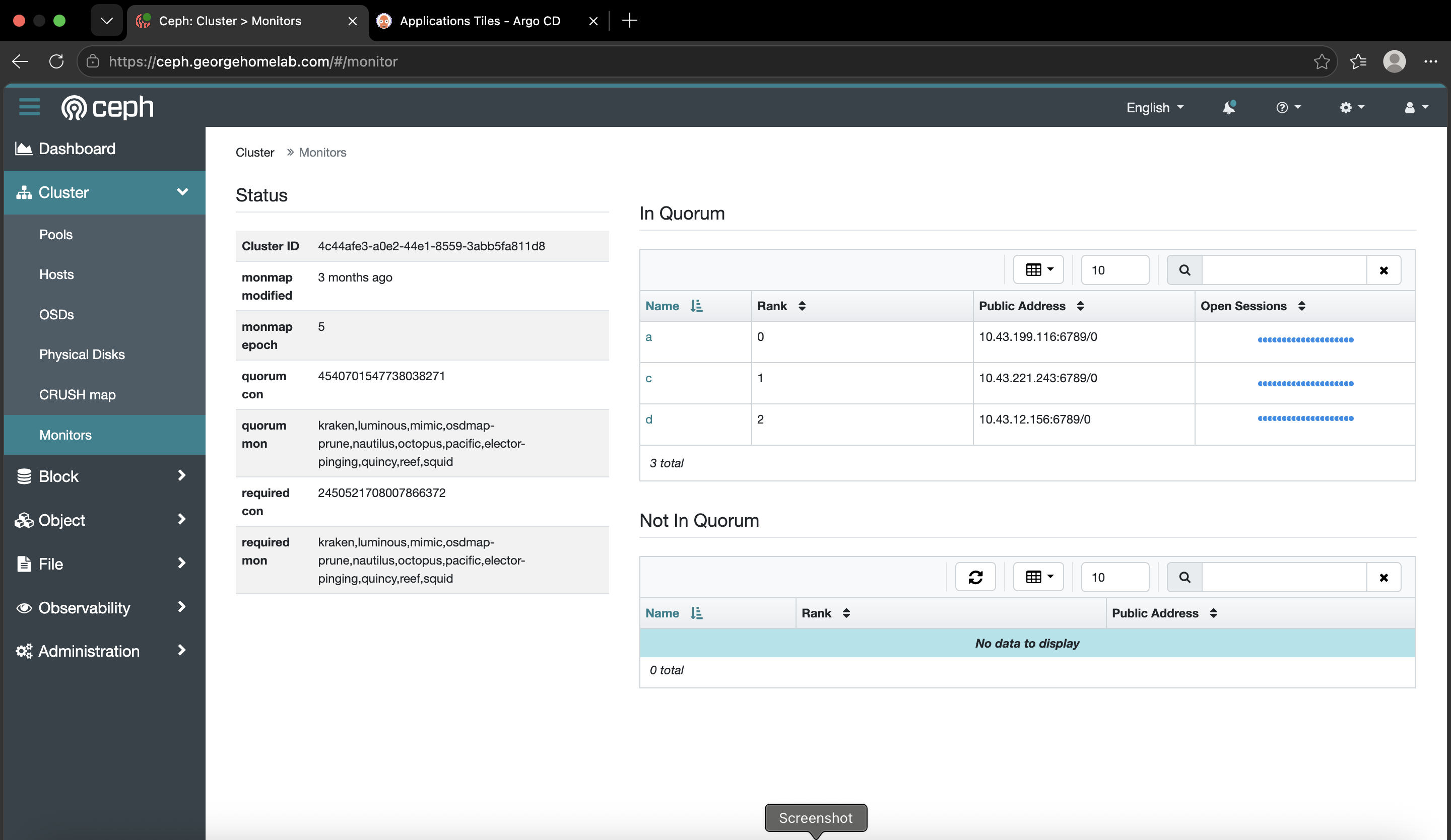
3 MONs keep the cluster map and agree on it by quorum.
2 MGRs, one active and one standby, run the dashboard, metrics and balancer.
6 OSDs, one per NVMe drive, two in each datacenter.
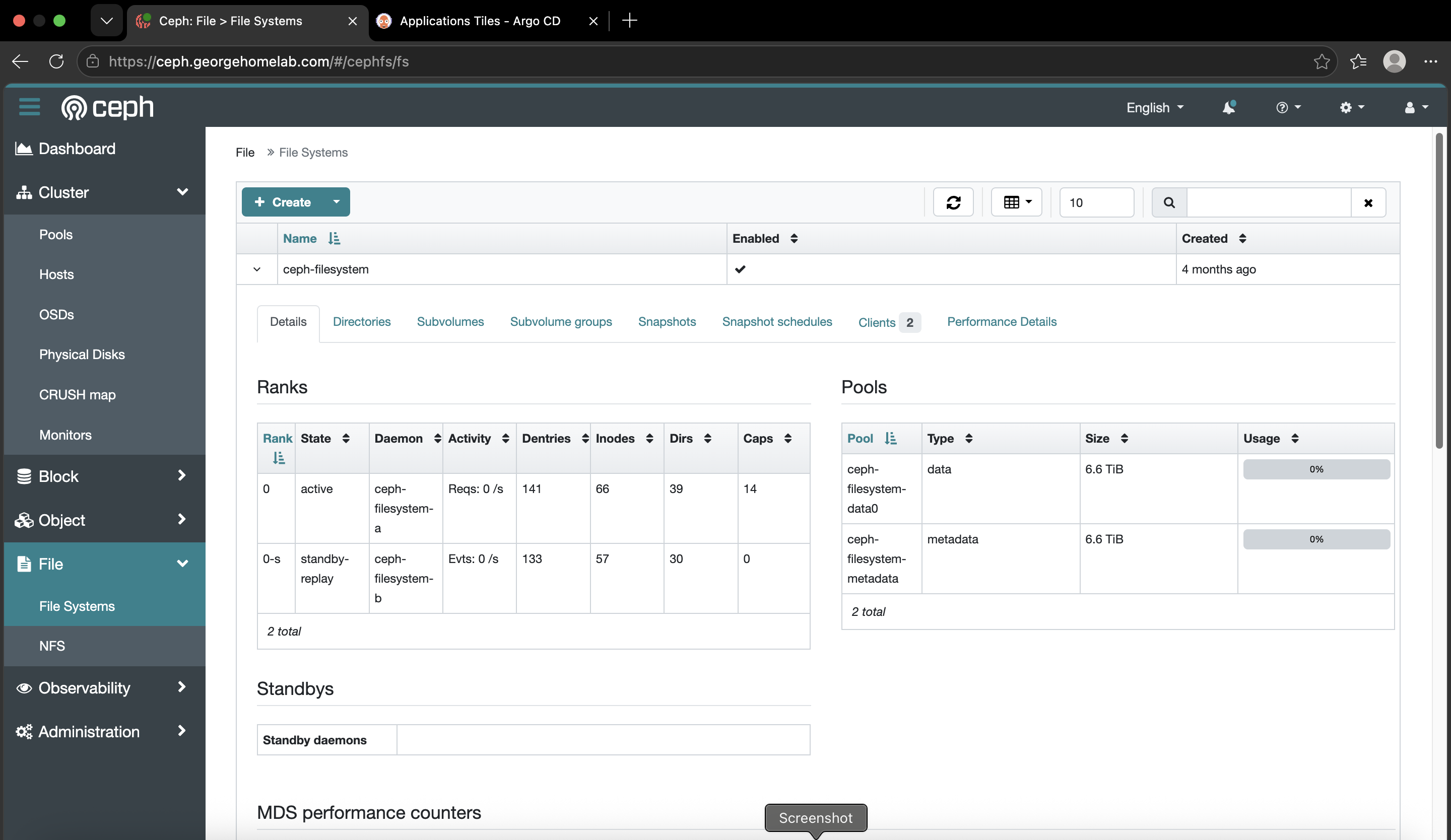
2 MDS daemons for CephFS, one active and one hot standby.
2 RGW gateways speaking S3, spread across zones.
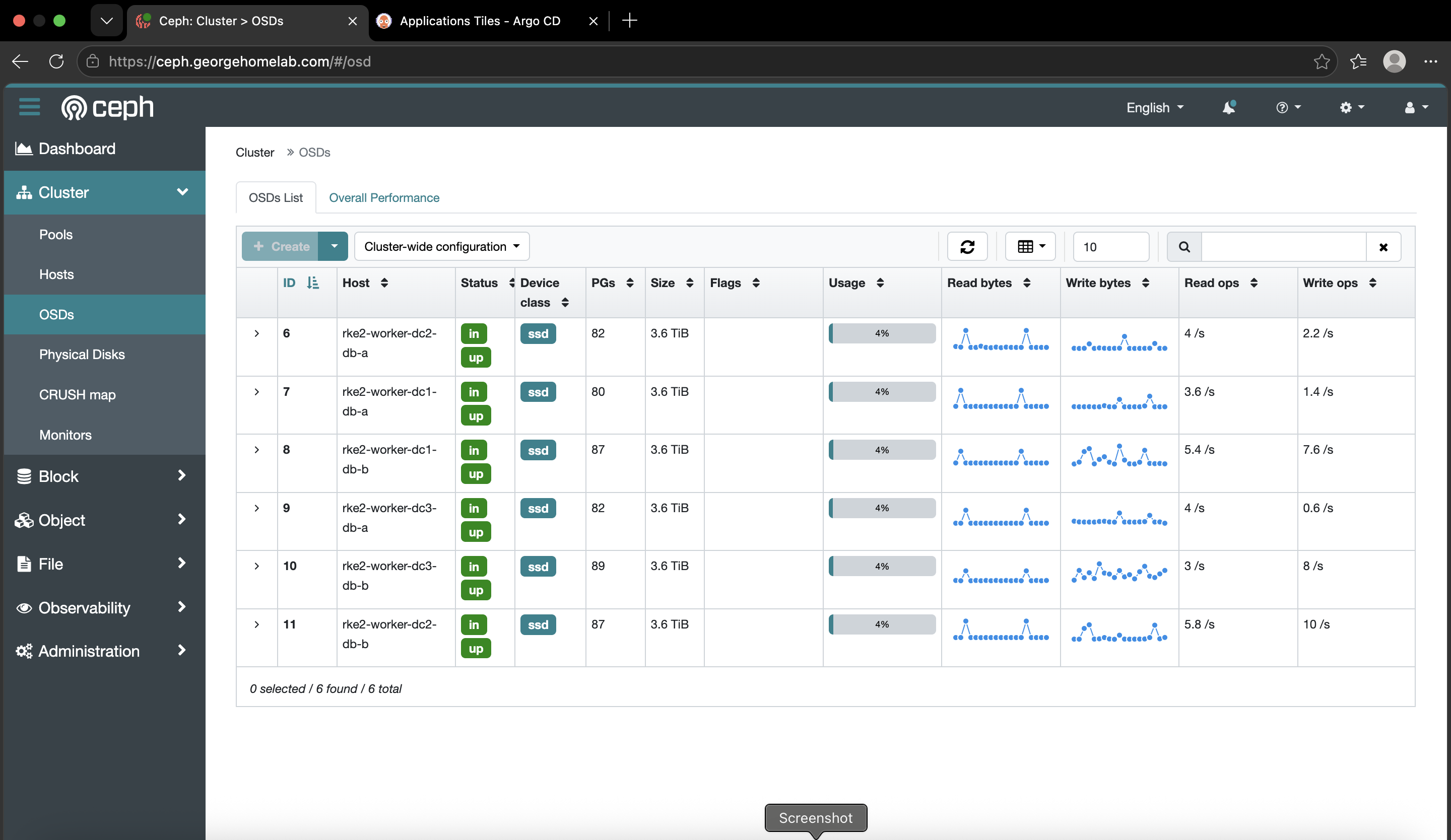
The OSDs are the part that changed. Each one is now a whole Samsung 990 PRO 4TB passed through to a db-a or db-b worker, and Rook claims it as a raw device by its stable path:
storage:
  useAllNodes: false
  useAllDevices: false
  nodes:
    - name: rke2-worker-dc1-db-a
      devices:
        - name: /dev/disk/by-id/scsi-SQEMU_QEMU_HARDDISK_<drive-serial>
The by-id path isn't me being fussy. /dev/sdc is just whatever the kernel found third this boot. After a reboot it can be a different disk, and that's how you hand a live OSD to the wrong drive. I learned that one properly, and it's in the traps section below.
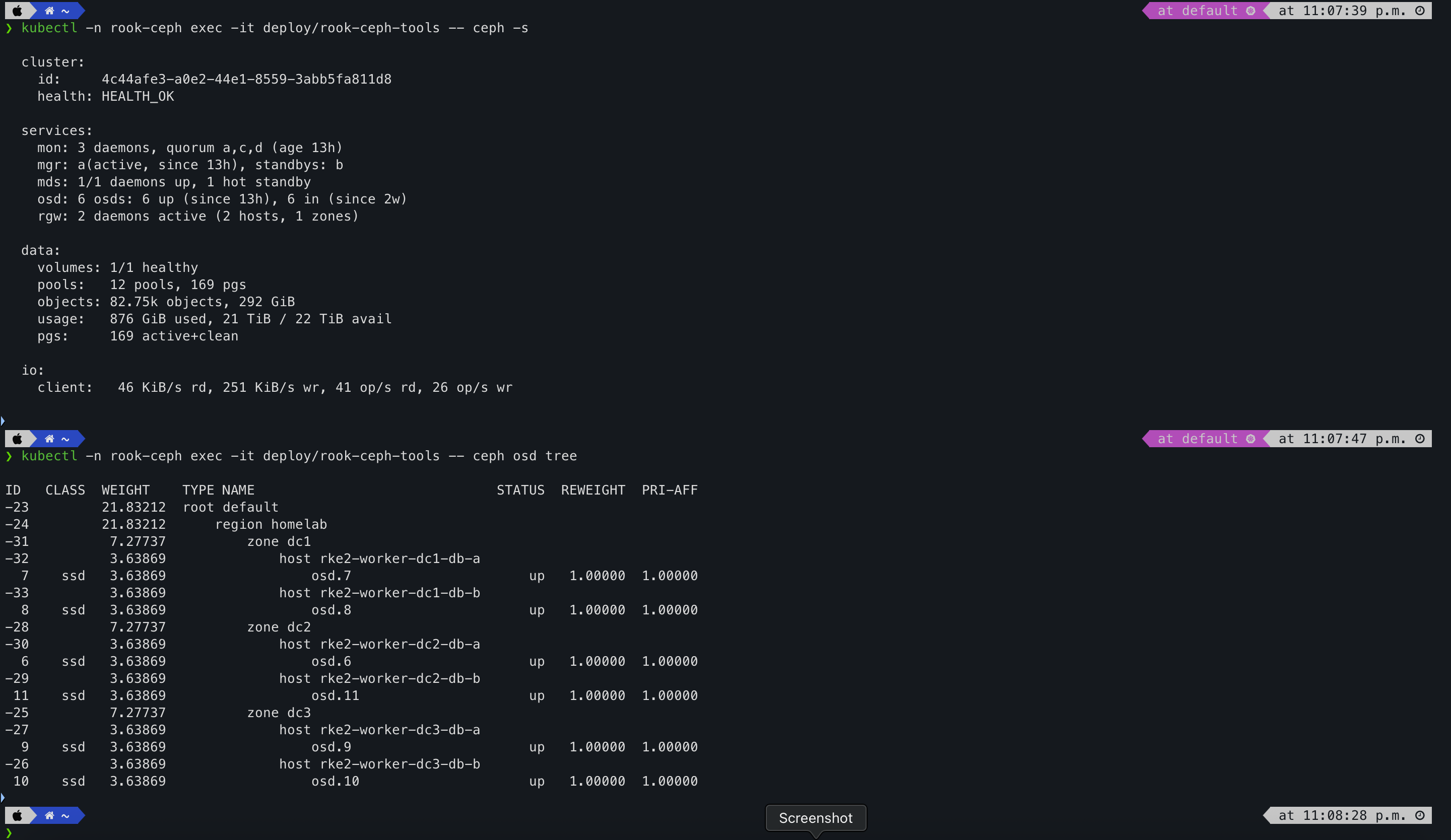
The last time I checked, the whole lab had just come back up from a power cut. The monitors had been running for twelve minutes, and Ceph had already sorted itself out:
$ ceph -s
health: HEALTH_OK
mon: 3 daemons, quorum a,c,d (age 12m)
mgr: a(active, since 12m), standbys: b
mds: 1/1 daemons up, 1 hot standby
osd: 6 osds: 6 up (since 11m), 6 in (since 2w)
rgw: 2 daemons active (2 hosts, 1 zones)
pgs: 169 active+clean
That's the part I still enjoy. I didn't touch anything. The drives came back, the placement groups peered, and it went green on its own.
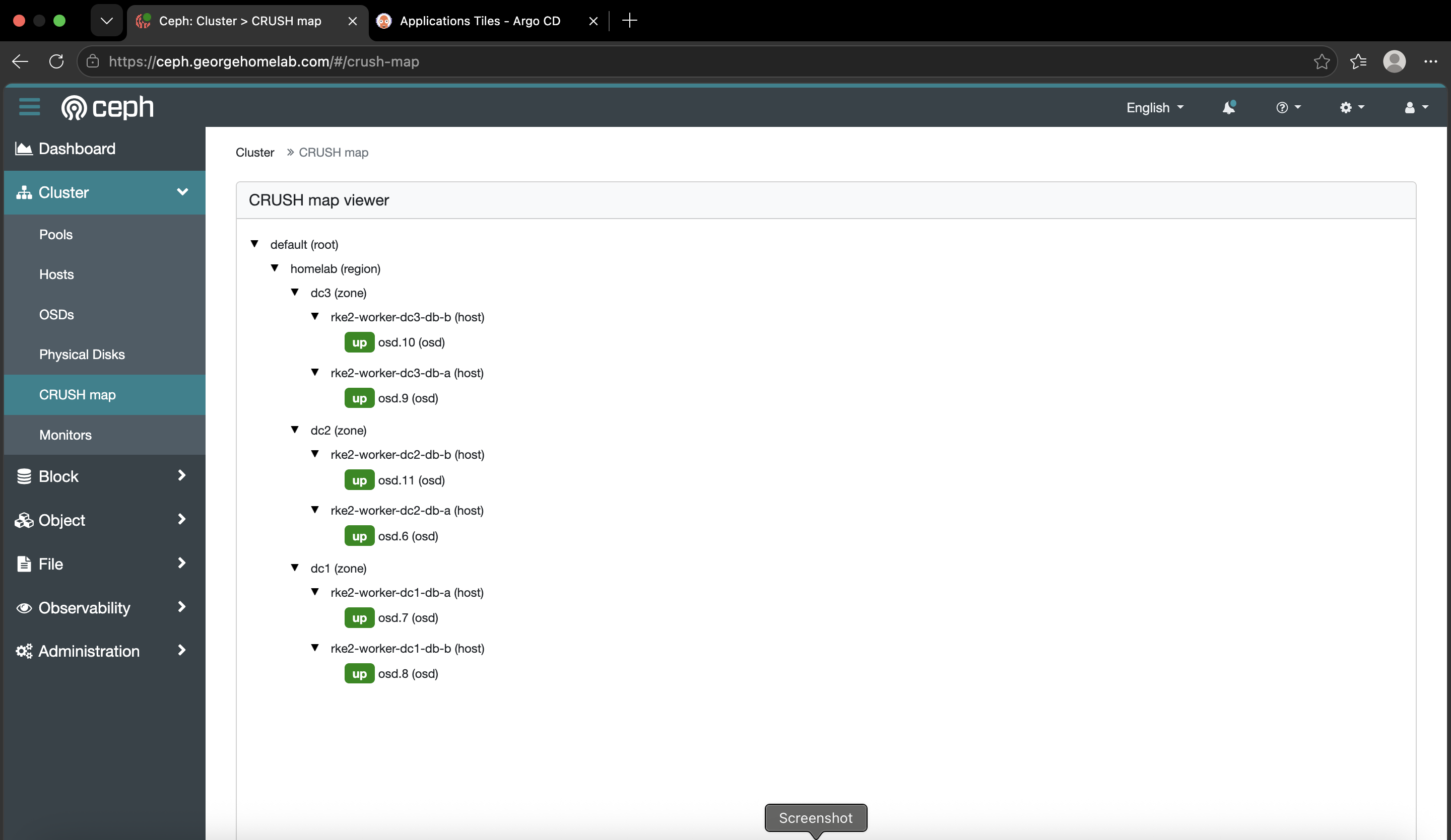
ceph osd tree: six OSDs, two per datacenter, each a whole 3.64 TiB drive.
Why Ceph and not something lighter
People ask me this a lot, usually with MinIO or Longhorn in mind. The thing that took me a while to see is that most of Ceph's "competitors" are only competing with a third of it. Storage on Kubernetes comes in three shapes, and they aren't interchangeable:
Block (RWO). One writer, low latency. What a database's data directory wants.
File (RWX). Lots of pods mounting the same filesystem at once. Shared datasets, shared scratch space.
Object (S3). HTTP put and get of whole blobs. Backups, artifacts, data lakes.
MinIO does object. Longhorn does block. SeaweedFS does object and file. HDFS is a batch analytics filesystem from another era. Ceph does all three from one cluster, and that's the whole argument. When you compare Ceph to MinIO, the real question is "do I want to run one storage system or three?"
I didn't arrive here from theory. I ran Longhorn first and liked it, right up until I started pulling nodes out on purpose. A node crash kicked off a rebuild that ate enough CPU and memory to get unrelated apps OOM-killed. RWX meant bolting NFS on top, which is its own single point of failure. And I never felt confident about point-in-time backups with it.
Here's how I'd sum the options up for a friend:
| System | Block | File | Object | Runs as an operator | Best at | Watch out for |
|---|---|---|---|---|---|---|
| Rook-Ceph | ✅ RBD | ✅ CephFS | ✅ RGW | ✅ | All three from one self-healing cluster | Heavy, and a real learning curve |
| MinIO | ❌ | ❌ | ✅ | ⚠️ Helm | Fast, simple S3 | No volumes for your databases |
| SeaweedFS | ⚠️ CSI | ✅ | ✅ | ⚠️ | Huge numbers of small files | Smaller community, block isn't its thing |
| Longhorn | ✅ | ⚠️ via NFS | ❌ | ✅ | Easiest block on a small cluster | Rebuild storms, no object |
| OpenEBS Mayastor | ✅ NVMe-oF | ❌ | ❌ | ✅ | Lowest-latency block | Block only, younger |
| HDFS | ❌ | ⚠️ not POSIX | ❌ | ❌ | Old-school batch analytics | Wrong tool for pod volumes |
If you only need one of those things, use the specialist. Pure S3 is MinIO. Simple block on a small cluster is Longhorn. Mind you, MinIO's catch shows up the day you also need a block volume for Postgres, because now you're running two systems. That's exactly why my KFP and MLflow artifact stores point at Ceph's S3 gateway instead of the MinIO their manifests ship with.
HDFS isn't really in this race. Object storage plus open table formats like Iceberg replaced that whole way of working, and in my lakehouse that's literally what happened: Trino and Iceberg on Ceph's S3 retired the Hive and HDFS setup. Ceph didn't beat HDFS. Object storage did, and Ceph is how I serve it.
The cost is real, though, so let me be straight about it. The rook-ceph namespace runs 115 pods. Only 17 of those are Ceph itself; the rest are per-node CSI drivers, metrics exporters and crash collectors. And on the night something breaks, you'll be reading about placement groups and CRUSH rules at an hour you'd rather be asleep. With one machine and one disk, don't bother: use Longhorn or hostPath. Ceph starts paying off around three machines, more than one failure domain, and needing more than one kind of storage.
Three doors into the garage
Ceph gives Kubernetes three storage classes, and each one behaves very differently.
ceph-block: the locked cabinet
Provisioner:
rook-ceph.rbd.csi.ceph.comAccess: ReadWriteOnce, and it's the cluster default
For: database data directories, Redis, anything one pod owns
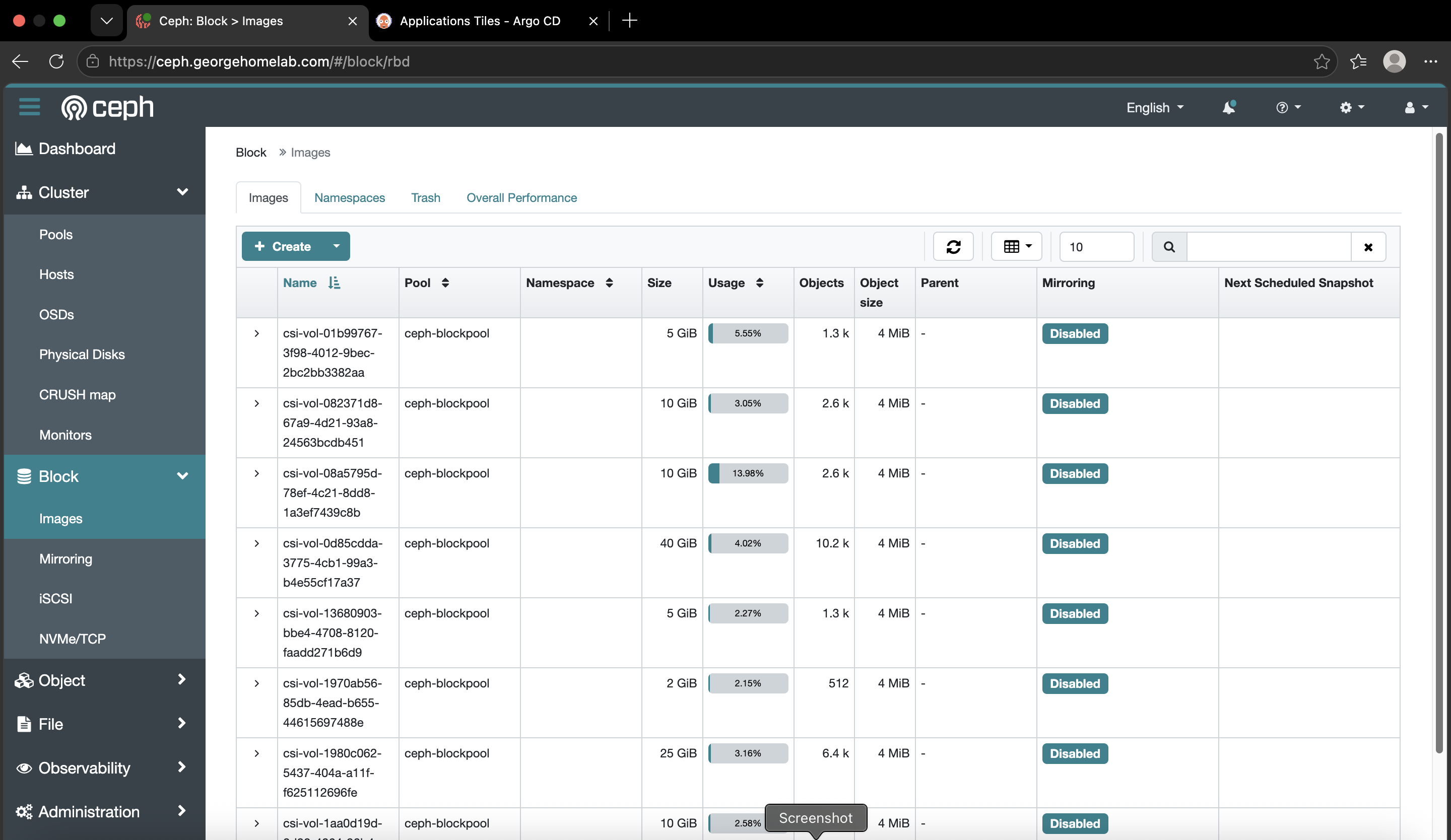
One pod gets a block device, formats it and writes to it like a normal disk. Postgres can fsync straight to it. Every database in the cluster lives behind this door: the CNPG clusters, Harbor's database and Redis, SonarQube's data, Vault's storage.
ceph-filesystem: the shared shed
Provisioner:
rook-ceph.cephfs.csi.ceph.comAccess: ReadWriteMany
For: anything several pods need to read and write together
My rule is to avoid it unless a workload genuinely needs it, and the numbers back that up. There are 52 volumes on ceph-block and 3 on ceph-filesystem. The three are dbt's shared artifacts directory in mlops, the technical-writer agents' shared workspace, and a test volume. Everything else is one-writer storage.
ceph-bucket: the loading bay
Provisioner:
rook-ceph.ceph.rook.io/bucketAccess: S3 over HTTPS, not a mounted volume
For: ML artifacts, pipeline outputs, the data lake, backups
This door has changed since I first built it. The S3 gateway used to answer on plain HTTP port 80 inside the cluster. Now it's TLS-only: the in-cluster Service is rook-ceph-rgw-ceph-objectstore.rook-ceph.svc:443, and everything outside the gateway uses https://s3.georgehomelab.com. Getting Istio to talk HTTPS to it properly was its own little adventure, which I've put in the traps below.
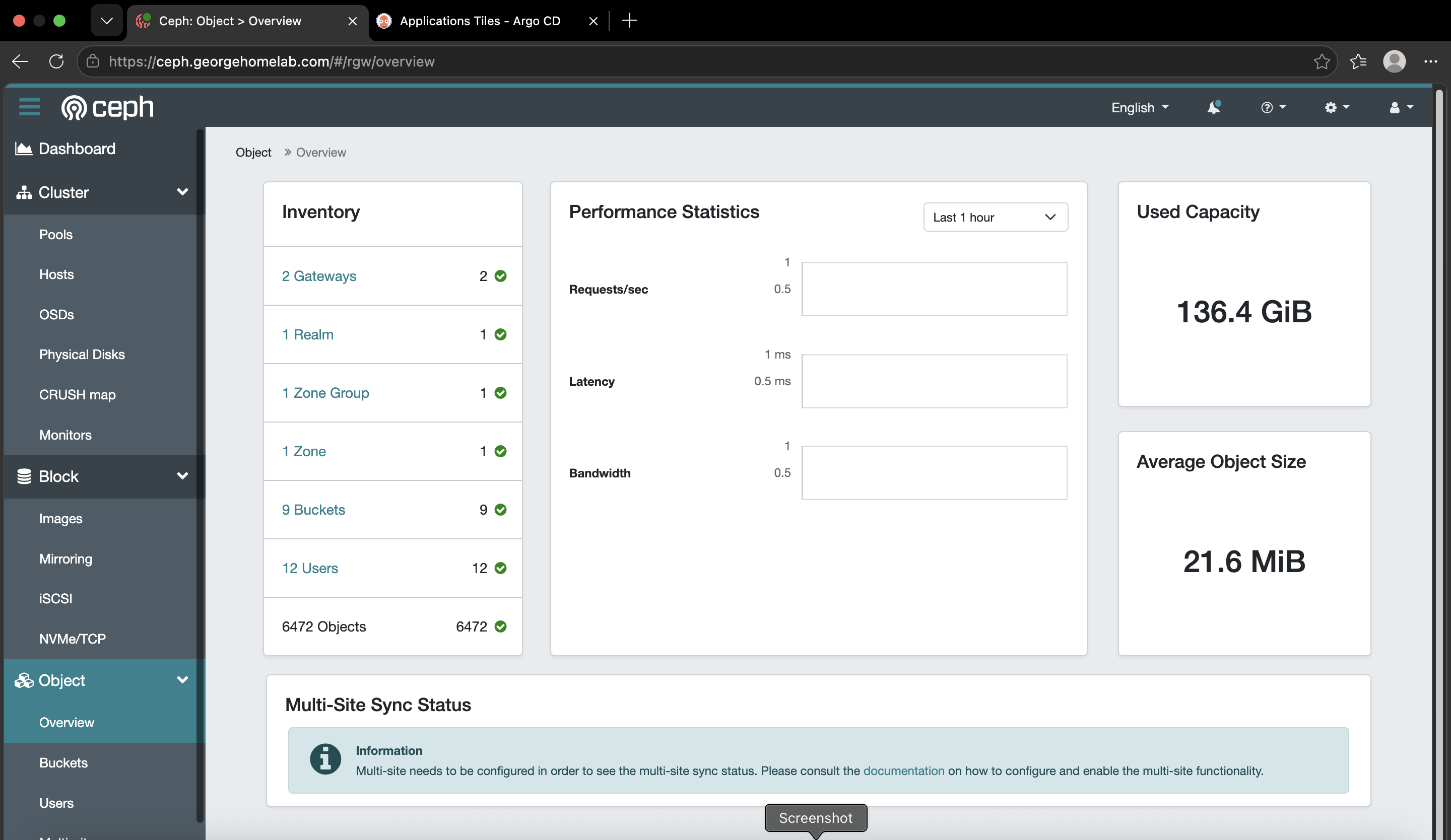
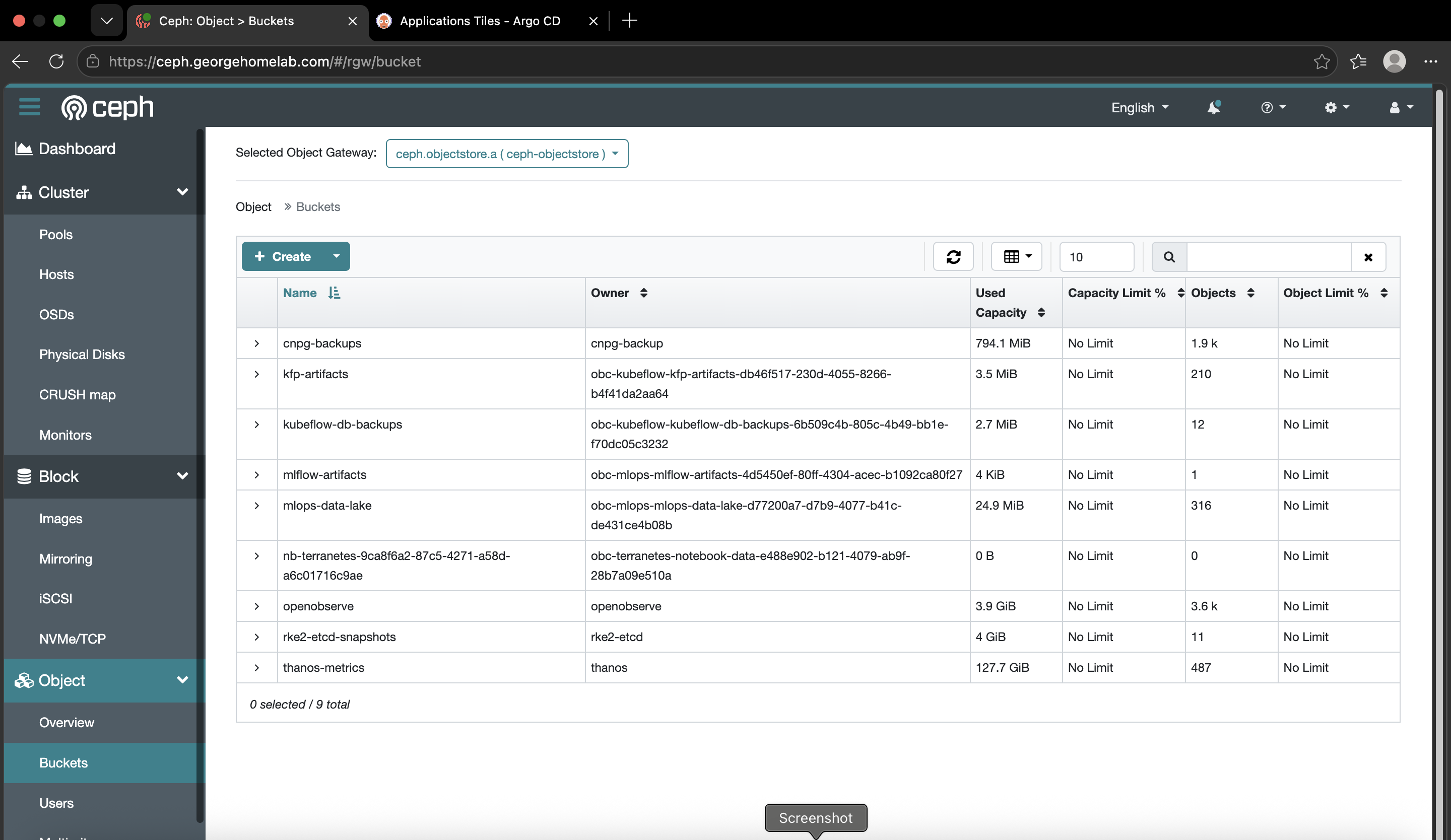
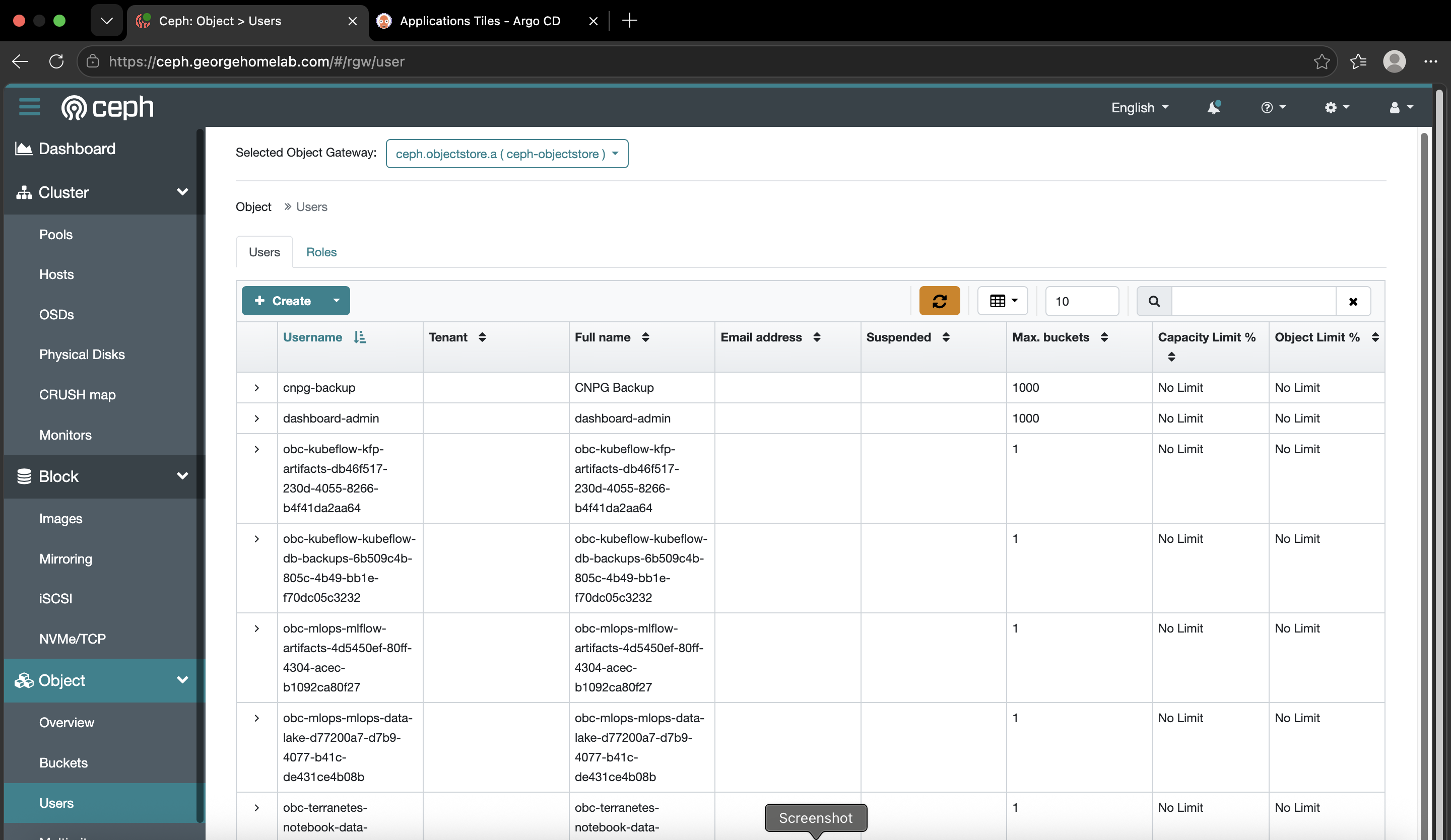
kubectl get sc: the three doors with ceph-block (default). You'll also see otelcol-premium-retain, which is the same RBD provisioner with Retain instead of Delete for telemetry that must outlive its PVC. Same door, different lock.

Buckets with one kubectl apply
This is the bit of Rook that surprised me most. A new bucket is just a claim:
apiVersion: objectbucket.io/v1alpha1
kind: ObjectBucketClaim
metadata:
  name: mlflow-artifacts
  namespace: mlops
spec:
  bucketName: mlflow-artifacts
  storageClassName: ceph-bucket
Apply that and Rook creates an S3 user and the bucket, then drops a ConfigMap with the bucket name and endpoint, plus a Secret with that user's keys, into the same namespace. The app reads both with envFrom and gets on with its life. No console, no clicking around, and each bucket has its own keys instead of everyone sharing a root key.
Four buckets come from claims:
kfp-artifacts:        kubeflow   # pipeline artifacts, instead of bundled MinIO
kubeflow-db-backups:  kubeflow
mlflow-artifacts:     mlops      # model files
mlops-data-lake:      mlops      # raw and curated data, the Iceberg warehouse
There's a fifth bucket, cnpg-backups, that deliberately isn't a claim. It belongs to a dedicated cnpg-backup S3 user whose keys live in Vault, so the database backups don't depend on Rook's claim machinery. That choice has a catch, which you'll find in the traps.
The filing cabinets: CloudNativePG
CNPG is a Postgres operator. You write one Cluster resource saying "three instances, this much storage, back up here", and it does the rest: creates the pods, sets up replication, picks a primary, fails over when a pod dies, ships WAL to S3, and restores to a point in time when you ask.
It runs in cnpg-system at version 1.29.0. Here's the MLOps cluster, trimmed to the parts that matter:
apiVersion: postgresql.cnpg.io/v1
kind: Cluster
metadata:
  name: postgres-mlops-cnpg-cluster
  namespace: mlops
spec:
  instances: 3
  storage:
    size: 40Gi
    storageClass: ceph-block        # the filing cabinet sits on the garage floor
  affinity:
    topologyKey: topology.kubernetes.io/zone
    podAntiAffinityType: required   # one instance per datacenter, no exceptions
  backup:
    retentionPolicy: 7d
    barmanObjectStore:
      destinationPath: s3://cnpg-backups/postgres-mlops-cnpg-cluster
      endpointURL: https://rook-ceph-rgw-ceph-objectstore.rook-ceph.svc:443
A few things worth pointing out:
Three instances, one per datacenter. The anti-affinity is
required, so the scheduler would rather leave a pod Pending than put two members in the same building.Replication is asynchronous (
maxSyncReplicas: 0). That gives great availability, but a failover can lose the last few transactions. For Keycloak sessions and ML metadata that's fine. For anything involving money it wouldn't be.Backups are continuous, plus a nightly base backup. WAL streams to
s3://cnpg-backups/all the time, and aScheduledBackuptakes a full base backup every day. That's why "restore MLflow's database to last Tuesday at 4pm" is a field in a resource, not a weekend.
The Barman Cloud plugin is installed too (v0.12.0), but the clusters still use the built-in barmanObjectStore method. Moving to the plugin is on the list, not done.
One cluster at 3/3, naming its own primary:
kubectl get clusters.postgresql.cnpg.io -A

kubectl -n keycloak get clusters.postgresql.cnpg.io postgres-keycloak-cnpg-cluster \
  -o custom-columns='NAME:.metadata.name,INSTANCES:.spec.instances,READY:.status.readyInstances,PRIMARY:.status.currentPrimary'

What "highly available" actually buys here
"HA" gets said so often it stops meaning anything, so I went and checked what mine really survives.
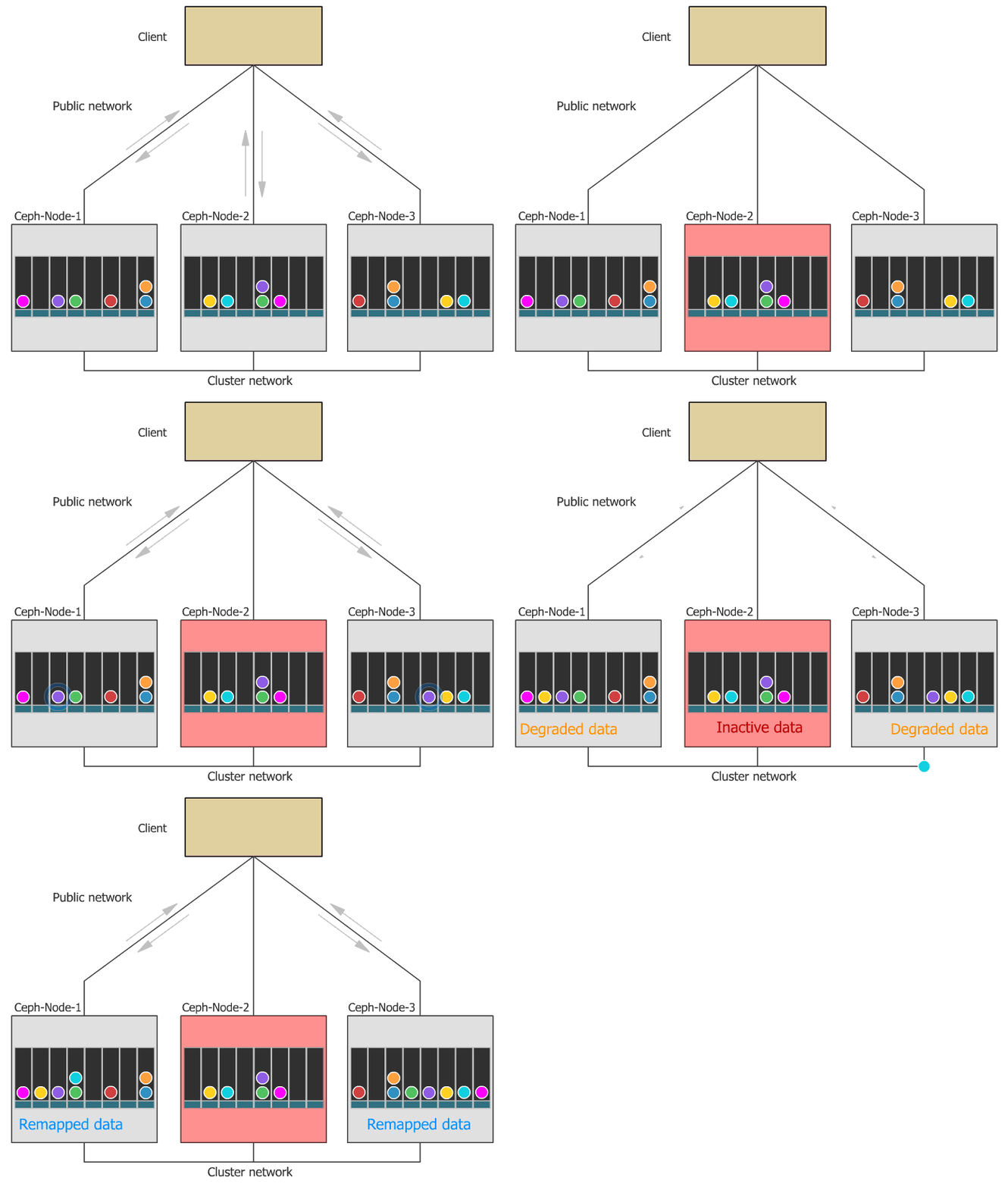
Ceph survives losing a whole datacenter. Not a disk or a node: a building. That comes from how the pools are set up:
ceph-blockpool:                     { size: 3, min_size: 2, failure_domain: zone }
ceph-objectstore.rgw.buckets.data:  { size: 3, min_size: 2, failure_domain: zone }
ceph-filesystem-data0:              { size: 3, min_size: 2, failure_domain: zone }
Three copies in three different datacenters, and min_size: 2 means the pools stay writable with one datacenter gone, not just readable.
CNPG survives it too, because each cluster has exactly one member per datacenter.
Two things I only found by looking:
ceph-filesystem-metadatauses failure domainhost, notzone. It's the only pool that does. Lose a whole datacenter and CephFS metadata could drop belowmin_sizeeven though the data is fine. Only three volumes use CephFS, so the blast radius is small, but it's inconsistent and I want it fixed.Async replication, as above. Great uptime, not zero data loss.
Click the image for the interactive version. Direct link: INTERACTIVE-DIAGRAM-URL
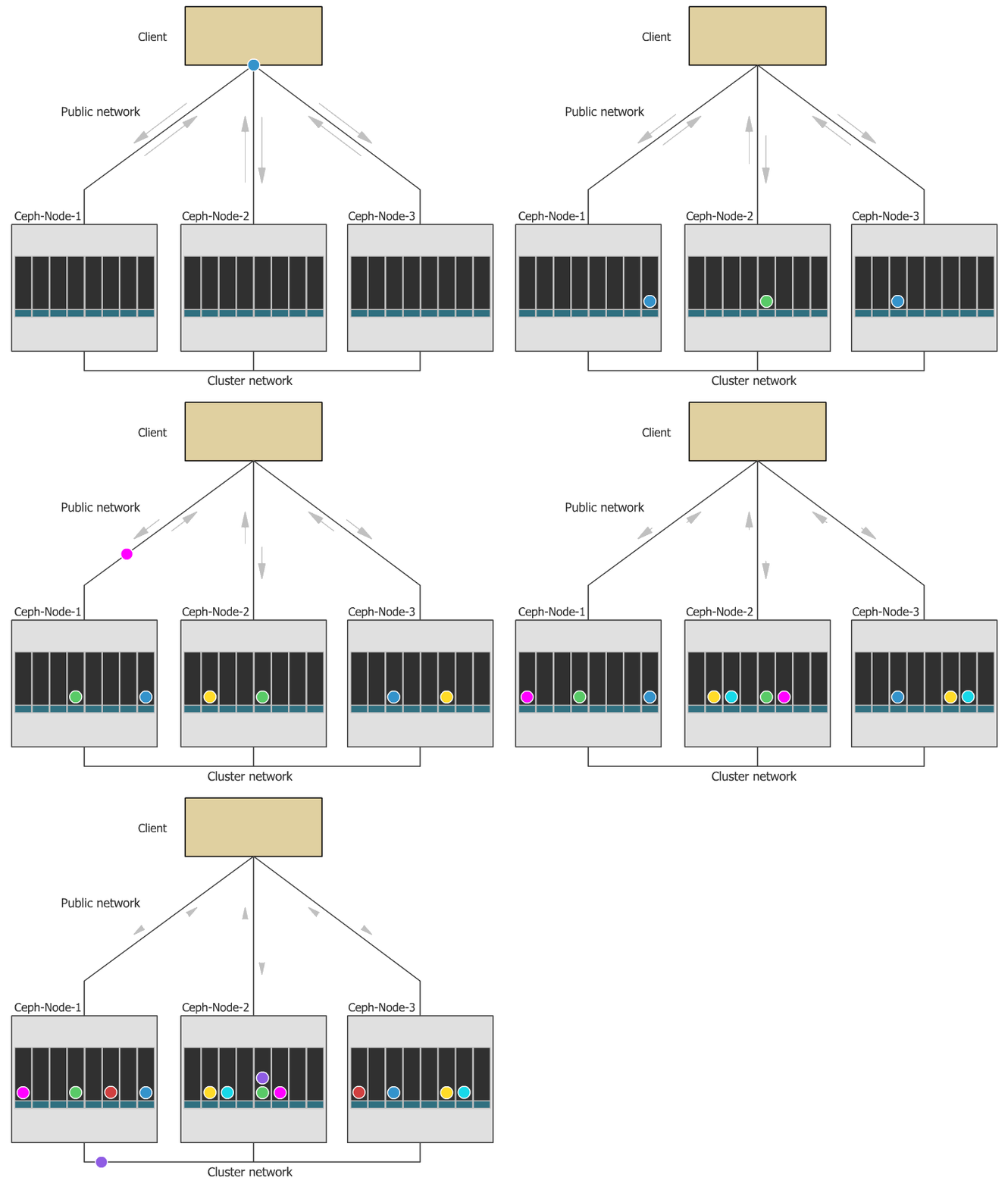
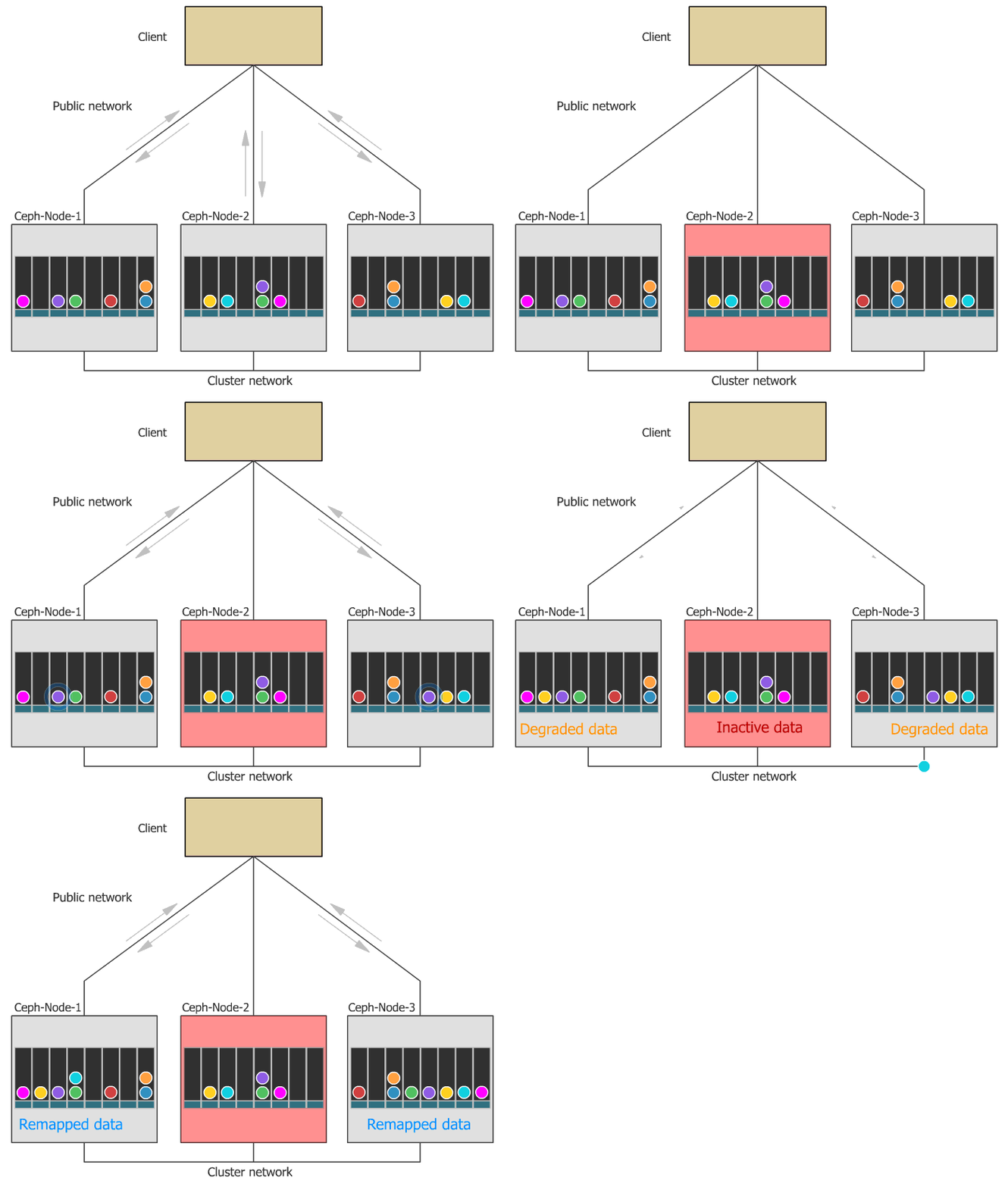
Three datacenters, two OSDs each, one object stored in all three, and the one pool that uses host instead of zone. Links to the interactive diagram.
One cluster per app, lots of databases inside
The pattern that mattered most in the end: one CNPG cluster per trust boundary, with as many logical databases inside it as that boundary needs.
Today that's three clusters and nine Postgres pods:
| Cluster | Namespace | Instances | Size | Databases | Used by |
|---|---|---|---|---|---|
postgres-keycloak-cnpg-cluster |
keycloak |
3 | 25Gi | keycloak_db |
Keycloak |
postgres-sonarqube-cnpg-cluster |
sonarqube |
3 | 10Gi | sonar_db |
SonarQube |
postgres-mlops-cnpg-cluster |
mlops |
3 | 40Gi | six, below | The MLOps platform |
The MLOps cluster is the one that sold me on this. It holds six databases: hive_metastore_db, mlflow_backend_db, airflow_metadata_db, kubeflow_metadata_db, nessie_db and openmetadata_db. It started with four. Nessie and OpenMetadata arrived with the lakehouse work, and adding them was one small resource each, not a new Postgres to look after:
apiVersion: postgresql.cnpg.io/v1
kind: Database
metadata:
  name: mlflow
  namespace: mlops
spec:
  name: mlflow_backend_db
  owner: mlflow
  cluster:
    name: postgres-mlops-cnpg-cluster
Each database has its own owner role, and each role's password lives at its own Vault path, written by Terraform and synced into the namespace by the Vault Secrets Operator:
secret/homelab/mlops/cnpg-bootstrap:  # the cluster's superuser
secret/homelab/mlops/hive-db:         # hive role
secret/homelab/mlops/mlflow-db:       # mlflow role
secret/homelab/mlops/airflow-db:      # airflow role
secret/homelab/mlops/nessie-db:       # nessie role
secret/homelab/mlops/openmetadata-db: # openmetadata role
secret/homelab/kubeflow/kubeflow-metadata-db: # kfp role, same cluster
Why not one cluster per database? That would be eight databases times three pods, so 24 Postgres pods instead of 9, eight backup streams to manage, and a control plane spending more time on Postgres than on actual work.
Why not one giant cluster for everything? Because then one bad migration or one operator bug hits every app at once. Keycloak is security-critical and shouldn't share a database server with my ML experiments. The MLOps apps already read each other's data, so sharing a Postgres among them costs nothing.
kubectl get database.postgresql.cnpg.io -A: six Database resources inside the one MLOps cluster.

The traps that taught me
Every one of these cost me at least an evening, and every one is now written down so it only costs me once.
Everyone types "longhorn" first. Older docs in the repo still mention Longhorn, so people reach for it in their first PVC. The default storage class is ceph-block. If you don't name a class, you get the right one.
CNPG stuck on "Setting up primary" with no pods. The initdb Job was getting FailedCreate and nothing said why. The namespace was on Pod Security baseline, and the Istio init container needs NET_ADMIN and NET_RAW, so admission quietly refused it. Every namespace that hosts a CNPG cluster is now labelled pod-security.kubernetes.io/enforce=privileged:
kubectl label ns my-app pod-security.kubernetes.io/enforce=privileged --overwrite
"Degraded" clusters that weren't degraded. CNPG pods showing 1/2 Running looked like a Postgres problem. It was the Istio sidecar restarting. Postgres was fine the whole time. Check which container is unready before you start debugging the database.
The old plain-HTTP S3 endpoint vanished. When RGW went TLS-only, anything still pointing at the old :80 address broke. The Kubeflow Pipelines swap from MinIO had been done with an ExternalName Service aimed at RGW's in-cluster port 80, and that died with it. Every KFP S3 client now points straight at https://s3.georgehomelab.com:443, with TLS switched on explicitly in its env. The ExternalName is still there but nothing relies on it.
Istio can't route HTTP to a port called https. Moving the gateway to TLS wasn't just a port change. Istio decides a port's protocol from its name, and Rook names its 443 port https, so Istio treats it as plain TCP and an HTTP route can't target it. The fix in rgw-s3-tls-origination.yaml is a separate Service whose port Istio sees as HTTP, plus a DestinationRule that does the TLS to RGW itself. The file's comments have the whole story, including the config dump that finally made it click.
Bucket ConfigMaps freezing. A Kyverno policy marks new ConfigMaps immutable, and the ConfigMaps Rook writes for bucket claims would get caught. If the endpoint ever changes, an immutable ConfigMap silently refuses the update. rook-ceph, mlops and kubeflow are on the policy's exclusion list. Add any new namespace that creates bucket claims to it.
Moving the OSDs onto the 990 PROs. Three lessons in the order they hit me:
Name disks by
by-id, never/dev/sdX. Letters are handed out in discovery order and move between boots.A purged OSD comes back from the dead.
ceph osd purgeremoves it from the cluster map but leaves the LVM and BlueStore labels on the disk, so Rook helpfully recreates it on the next reconcile. Scale the operator to zero, wipe the device, then scale it back.HEALTH_OKdoesn't mean nothing's wrong. After the swap,ceph -swas green while orphaned OSD deployments crash-looped against disks that no longer existed. Ceph had just stopped counting them. Comparekubectl -n rook-ceph get deploy -l app=rook-ceph-osdwithceph osd treeyourself.
Backups that silently stopped. After a switchover, a former CNPG primary sat at 1/2 with a failing startup probe. It has to archive its pending WAL before it can rejoin, and the archive was getting 403 Forbidden. A Ceph rebuild had wiped the cnpg-backup S3 user, while Vault still held its keys. That broke WAL archiving for every cluster, not just the stuck one. The fix was recreating the user in the Rook toolbox with the exact keys from Vault, because Vault is the source of truth. If your backups go quiet after any Ceph rebuild, check that the user still exists before anything else.
The Rook values aren't GitOps. The Rook charts are applied by hand with Helm, not by ArgoCD. Change the device list in Git and nothing happens until someone runs the upgrade. I lost an afternoon wondering why a new disk never became an OSD.
Conclusion
Here's what it costs and what it gives back.
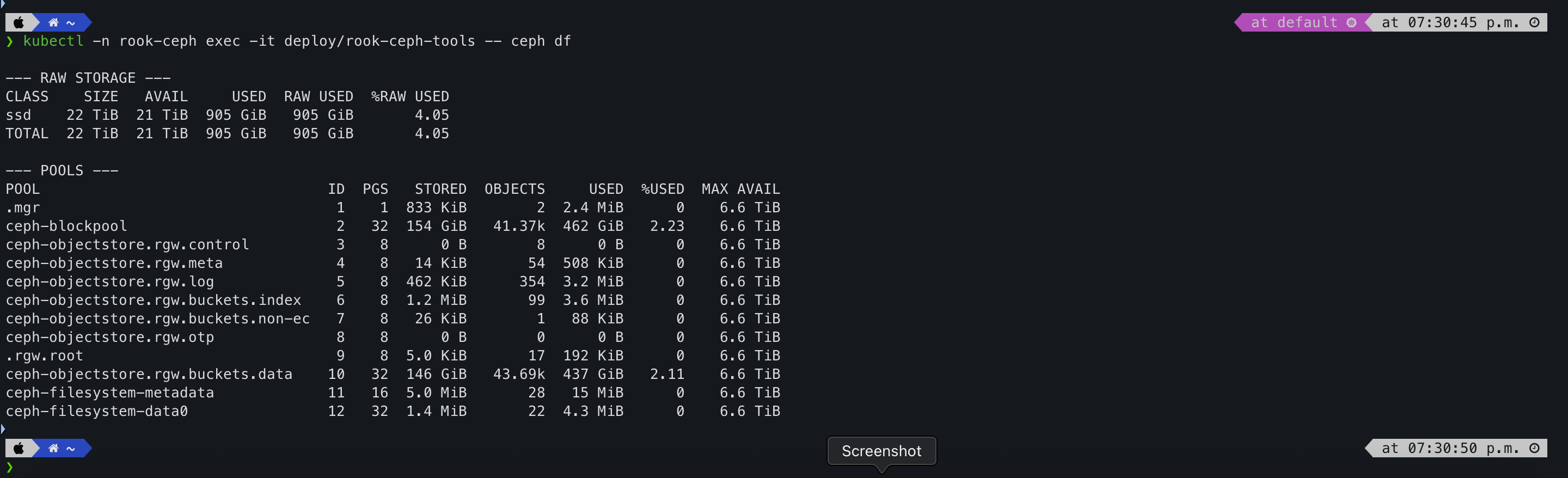
On capacity: 22 TiB raw, 854 GiB used, 3.82%. Everything is stored three times, so the number to plan against is MAX AVAIL, which is 6.6 TiB per pool. I forgot that gap between raw and usable the first time I sized this, and I won't again.
Before the move, the OSDs were about 600 GiB of slices on the boot disks. Dedicated NVMe gave me roughly 36 times the raw space, and more importantly it got Ceph off the drive etcd lives on.
What I got for it:
One storage system for block, file and object. No MinIO plus Longhorn plus an NFS server glued together.
A data layer that fixes itself. After a whole-lab power cut, it was green before I'd made coffee.
Buckets from a YAML file, each with its own keys.
Postgres per trust boundary. Keycloak's database can't see SonarQube's, and the MLOps apps share one cluster without stepping on each other.
Point-in-time recovery that's actually there. WAL to S3 all day, a base backup every night, seven days kept.
kubectl -n rook-ceph exec -it deploy/rook-ceph-tools -- ceph df
ceph df: 22 TiB raw, 854 GiB used, MAX AVAIL 6.6 TiB. The gap between stored and raw is the replication factor.
What's Next?
Storage is the body of the house. The next room is the one that holds the keys to all of it: HashiCorp Vault. Every database password and bucket credential in this article lives there, gets written by Terraform and reaches its pod through the Vault Secrets Operator. That's Episode 6.
On the storage side, my own to-do list is short:
Move
ceph-filesystem-metadatato failure domainzoneso CephFS survives losing a datacenter like everything else does.Switch the CNPG backups to the Barman Cloud plugin, which is installed and waiting.
Put the Rook charts under ArgoCD, so a change to the device list in Git actually does something.
If you're building something similar and want to compare notes, or you've got a Ceph horror story that beats mine, I'd love to hear it.
Author: George Ezejiofor